Choosing a website platform is one of the most consequential digital decisions a business makes. The stack you pick affects design freedom, SEO control, integrations, maintenance, total cost of ownership, and how easily your site can grow over the next three to five years.
That is why so many teams search for WordPress vs Webflow before hiring a designer or developer. Both platforms can produce polished marketing websites. They are not interchangeable once you need custom workflows, commerce complexity, ownership, or deep system integrations.
There is no universal winner. WordPress is usually stronger when ownership, extensibility, and long-term flexibility matter. Webflow is often stronger when speed of visual production and managed hosting matter more than deep customization.
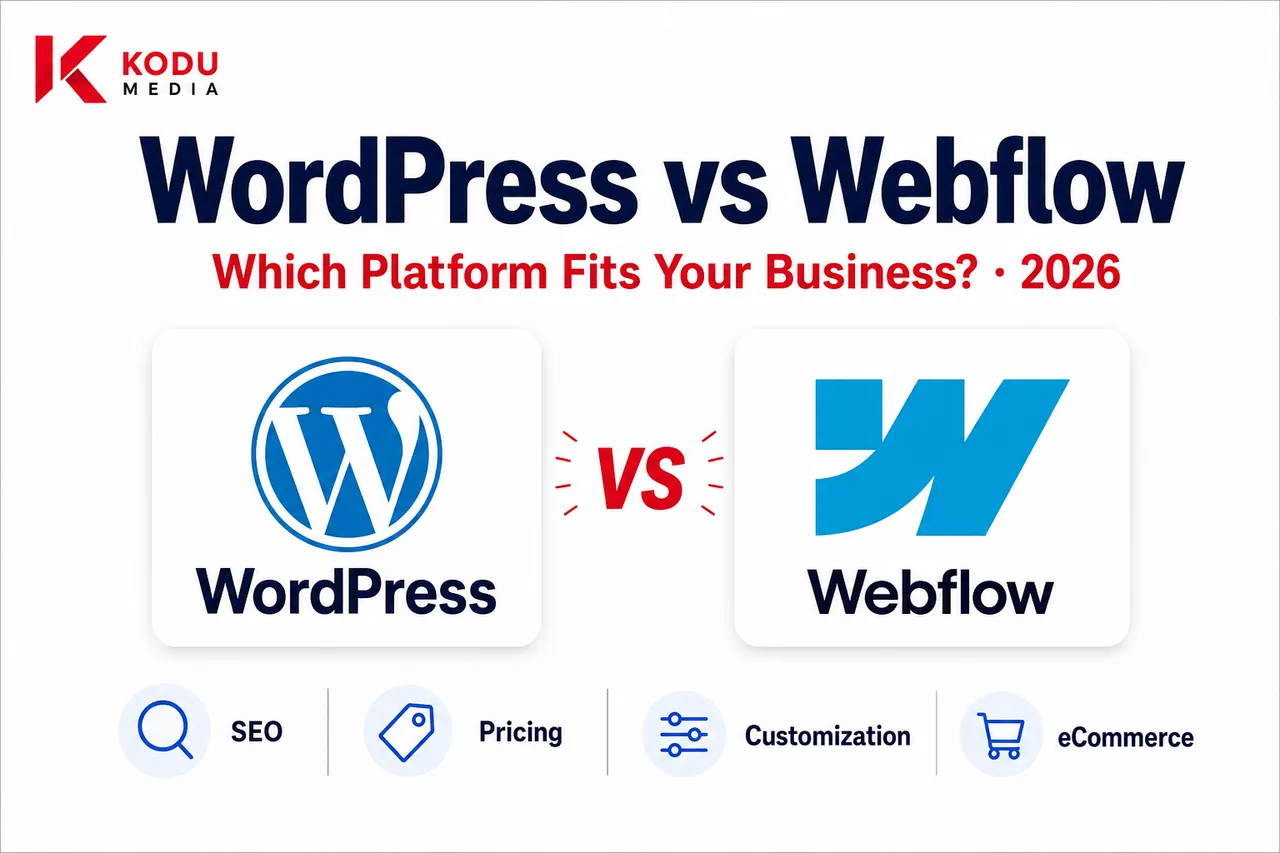
This guide compares WordPress and Webflow across SEO, design, pricing, performance, security, eCommerce, and scalability so you can choose based on business goals, not marketing slogans.
By the end, you should be able to answer three questions confidently:
- Which platform fits our current launch needs?
- Which platform fits our 12-24 month roadmap?
- Where would a platform mismatch create expensive rework?
If you already know WordPress is the direction, our WordPress Development Company page outlines how custom builds are delivered.
What Is WordPress?
WordPress is an open-source content management system that powers a large share of the web. Businesses use it for marketing sites, blogs, membership experiences, portals, and full eCommerce stores.
Key characteristics include:
- Open-source ownership of your content and codebase
- Flexible theme and template architecture
- A massive plugin ecosystem for features and integrations
- Custom development for unique business logic
- WooCommerce for product catalog and checkout needs
- Enterprise capability when architecture, hosting, and governance are designed intentionally
WordPress is not “just a blogging tool.” With custom theme development, ACF, Gutenberg, APIs, and disciplined engineering, it becomes a durable digital platform. That flexibility is why many teams evaluate WordPress as a Webflow alternative when they outgrow hosted constraints.
WordPress also benefits from a global talent market. Finding developers, agencies, and specialists for almost any niche requirement is generally easier than finding equivalently deep Webflow engineering for complex business systems.
What Is Webflow?
Webflow is a visual website builder and hosted platform designed for designers and marketers who want production-ready sites without traditional theme development.
Key characteristics include:
- Visual canvas for layout, interactions, and responsive design
- Built-in hosting and CDN delivery
- CMS collections for structured content
- No-code / low-code workflows for many marketing sites
- Workspace and site plans that bundle platform features
- Strong designer-focused tooling for animation and polish
Webflow shines when the project is primarily a brand or marketing website with relatively predictable content models. It becomes less ideal when business requirements demand deeply custom applications, complex commerce, or unrestricted backend ownership. For many teams, that distinction, not aesthetics, is the real decision point.
Quick Comparison Table
| Feature | WordPress | Webflow |
|---|---|---|
| Open Source | Yes | No |
| Hosting Choice | Yes | Platform-hosted |
| SEO | Excellent | Excellent |
| Custom Development | Unlimited | Moderate |
| WooCommerce | Yes | No |
| Plugins / Extensions | Very large ecosystem | Limited native ecosystem |
| CMS Flexibility | Excellent | Good |
| Scalability | Excellent with right architecture | Good for many marketing sites |
| Enterprise Fit | Excellent | Moderate |
| Learning Curve | Moderate | Moderate |
Ease of Use
Ease of use is where many WordPress vs Webflow debates get oversimplified. “Easier” depends on whether the user is a designer, marketer, developer, or business owner, and whether the site was built cleanly.
Content Editing
WordPress can be extremely editor-friendly when built with Gutenberg blocks, ACF fields, and clear content models. Poor theme setups make WordPress feel complicated; good custom themes make it simple for marketing teams to publish without breaking layout.
Webflow’s Designer is excellent for visual control, while the Editor experience works well for simpler content updates. Complex content operations can become constrained by CMS structure, collection relationships, and plan item limits.
A practical test: ask each vendor to show how a non-technical marketer would update a landing page, publish a blog post, swap a hero image, and create a new service page. The answer reveals real usability faster than feature lists.
Learning Curve
- WordPress: Moderate. Editors learn quickly on well-built sites; developers need PHP/theme knowledge for deeper work.
- Webflow: Moderate. Designers often ramp quickly; complex interactions and CMS relationships still require training.
Webflow’s learning curve is front-loaded around the Designer. WordPress’s learning curve is often back-loaded around plugins, updates, and architecture decisions.
Team Collaboration
WordPress supports multi-role publishing, custom capabilities, and workflows that fit larger organizations. Legal, marketing, and product teams can have different permissions and review paths when the site is designed for it.
Webflow collaboration is strong for design/marketing teams within platform permissions, but enterprise content governance can be more limited than a carefully architected WordPress setup, especially across many stakeholders and approval layers.
Marketing vs Developer Experience
Marketing teams often love Webflow’s visual control. Developers often prefer WordPress when requirements include custom APIs, memberships, portals, or complex integrations. The “easier” platform depends on which team owns day-to-day changes and which team owns roadmap complexity.
If your marketing team needs frequent visual experimentation and your technical roadmap is light, Webflow may feel effortless. If your developers need to encode business rules into the website, WordPress usually becomes the more natural home.
Design Flexibility
WordPress
WordPress design flexibility is effectively unlimited with custom WordPress theme development. You can match brand systems precisely, create reusable blocks, and implement unique UX patterns. Templates and page builders exist, but serious brands usually benefit from custom themes rather than heavy builder dependence.
Custom WordPress design also scales across templates: product pages, resource hubs, location pages, account areas, and campaign landing systems can share one coherent design language while supporting different conversion jobs.
Webflow
Webflow is outstanding for visual design velocity, interactions, and polished marketing layouts. Designers can ship high-quality UI quickly without waiting on traditional front-end handoff. Constraints appear when product logic, app-like experiences, or highly custom component systems need to live outside Webflow’s model.
Animation and Branding
Webflow’s native interactions are a clear strength for marketing animation and micro-interactions. WordPress can match or exceed those experiences with custom front-end work, but that requires intentional development rather than canvas-only tooling.
Bottom line: Webflow often wins for rapid brand-site design. WordPress wins when design must coexist with deep product, content, and integration requirements.
WordPress vs Webflow SEO
Both platforms can rank well. SEO outcomes depend more on information architecture, content quality, technical hygiene, and performance than on the CMS logo alone.
| SEO Capability | WordPress | Webflow |
|---|---|---|
| Metadata control | Excellent (plugins + custom) | Excellent (native) |
| URL structure | Highly flexible | Strong, with platform patterns |
| Redirects | Full control | Supported, plan/process dependent |
| Schema / structured data | Highly flexible | Possible, more constrained |
| XML sitemaps | Mature plugin/custom options | Built-in |
| robots.txt / canonicals | Full control | Good platform controls |
| Core Web Vitals | Excellent when engineered well | Strong on managed hosting |
| SEO tooling ecosystem | Very large | Smaller |
Practical SEO Differences
WordPress gives SEO teams more freedom for custom schema, complex content types, programmatic landing systems, and plugin-supported workflows. That is why WordPress vs Webflow SEO debates often favor WordPress for content-heavy or enterprise growth programs.
Webflow provides clean technical defaults and can perform excellently for focused marketing sites with disciplined content strategy. It may feel limiting when SEO operations require unusual URL logic, advanced schema patterns, or large-scale content engineering.
For SEO fundamentals that apply on either stack, see how to improve website SEO.
Performance
Hosting and Delivery
Webflow’s managed hosting and CDN make strong baseline performance easier out of the box. WordPress performance depends on hosting quality, theme architecture, caching, and asset discipline.
Caching, CDN, and Images
Both platforms can use modern CDNs and image optimization. WordPress requires intentional configuration (and good development). Webflow handles more of this as part of the platform.
Code Quality and Core Web Vitals
- WordPress: Outstanding when themes are lightweight and plugin bloat is controlled; weak when template/plugin stacks are careless.
- Webflow: Generally strong for marketing pages; complex interactions and heavy assets can still hurt CWV if not managed.
Performance is not automatically “won” by either platform. It is won by architecture and restraint.
How to Evaluate Performance in Vendor Demos
Ask each team to show:
- Mobile LCP on a real content-heavy page
- Script weight and third-party tag strategy
- Image pipeline (formats, sizing, lazy loading)
- Caching behavior for logged-out vs logged-in users
- What happens when marketing adds another tracking script
Webflow demos often look fast because the platform baseline is strong. WordPress demos look fast when the build is disciplined. Request evidence either way, homepage scores alone are not enough.
WordPress vs Webflow Pricing
Pricing comparisons are easy to get wrong because WordPress and Webflow bill differently.
WordPress Cost Components
- Domain
- Hosting
- Theme / custom development
- Plugins (free and premium)
- Maintenance and security
- Optional commerce and integration work
WordPress can start inexpensively for simple sites and scale into larger custom investments. California market ranges and project types are covered in our WordPress Development Cost in California guide.
Webflow Cost Components
- Workspace plans
- Site plans
- CMS item limits
- Ecommerce plans (where used)
- Additional seats / collaboration needs
- Designer/developer services for complex builds
Webflow’s all-in-one model can look simple initially, but ongoing platform fees and plan ceilings become important as content volume and team size grow.
| Cost Area | WordPress | Webflow |
|---|---|---|
| Platform fees | Usually lower software fees | Ongoing hosted plan fees |
| Hosting | Chosen and paid separately | Included in site plans |
| Custom build cost | Varies widely by scope | Varies; visual build can be faster |
| Extensions | Plugin marketplace + custom code | More limited native extensions |
| Long-term TCO | Often better for complex growth | Often predictable for simple sites |
Pricing takeaway: Webflow can be cost-efficient for focused marketing sites. WordPress often wins on total cost of ownership when you need custom functionality, commerce depth, or multi-year extensibility.
Also compare internal labor costs. A platform that is cheaper monthly can still be expensive if every campaign needs a specialist, or if content publishing is slow. Conversely, a custom WordPress build can cost more upfront and then pay for itself through faster publishing, better conversion, and fewer replatform events.
Customization and Integrations
This is where WordPress or Webflow decisions become clearer for many businesses.
WordPress Customization
WordPress supports:
- REST API and custom endpoints
- CRM integrations (HubSpot, Salesforce, Zoho, and more)
- ERP and operations sync
- Memberships and customer portals
- Multilingual architectures
- AI-assisted workflows and custom automations
- Deep role/capability models
A custom WordPress development approach treats the website as a flexible product platform.
Webflow Customization
Webflow supports integrations through native tools, embeds, and third-party connectors. Many marketing stacks work well. Constraints appear with complex ERP logic, advanced membership systems, custom portals, or unique transactional workflows that need first-class application behavior.
If your roadmap includes AI operations, CRM automation, or custom apps around the website, evaluate WordPress (and adjacent services like AI Automation Services or web application development) more carefully than a pure marketing-site builder.
Integration Reality Check
Before choosing, list your must-have systems:
- CRM
- Marketing automation
- Payments
- Analytics / attribution
- Support desk
- Inventory or ERP
- Membership or auth providers
Then ask each platform partner: which of these are native, which need middleware, and which require custom engineering? The answer is often more important than which canvas looks prettier in a demo.
eCommerce: WooCommerce vs Webflow Ecommerce
WooCommerce (WordPress)
WooCommerce is one of WordPress’s biggest advantages for product businesses. It supports:
- Flexible product types and catalogs
- Payment gateway choice
- Shipping and tax complexity
- Extensions for subscriptions, B2B, memberships, and marketplaces
- Inventory and order workflow customization
- Integration with ERP/CRM operations
For store strategy, see our WooCommerce Development Company page and WooCommerce vs Shopify comparison.
Webflow Ecommerce
Webflow Ecommerce can work for simpler catalogs and brand-led product sites. It is generally less flexible than WooCommerce for complex merchandising, B2B rules, heavy extension ecosystems, and operational integrations.
eCommerce takeaway: If commerce is core to growth, WordPress + WooCommerce is usually the stronger long-term platform. If you sell a small catalog with straightforward checkout needs, Webflow can be sufficient.
Teams sometimes launch on Webflow Ecommerce to validate demand, then move to WooCommerce when catalog rules, subscriptions, wholesale pricing, or fulfillment integrations become strategic. That path can work, just budget for migration and SEO preservation when the transition comes.
Security
WordPress
WordPress security depends on:
- Update discipline
- Secure coding practices
- Hosting hardening
- Role-based access
- Backups and monitoring
- Careful plugin selection
WordPress is not insecure by default. Neglected WordPress is insecure. Maintained WordPress with good architecture is a proven business platform. Ongoing WordPress Maintenance Services matter here.
A mature WordPress security posture usually includes staging verification before updates, least-privilege admin access, malware monitoring, and recovery drills, not only an SSL certificate.
Webflow
Webflow reduces some operational burden because hosting and platform patching are managed. You still need good access control, content governance, and secure third-party embeds/scripts. Vendor-managed security is convenient, but you also accept platform dependency.
For many marketing sites, that tradeoff is acceptable. For organizations with strict compliance, custom authentication, or complex private data workflows, ownership and control often push the decision toward WordPress or a hybrid architecture.
Scalability
| Business Stage | Often Better Fit | Why |
|---|---|---|
| Early startup marketing site | Webflow or WordPress | Speed to launch can matter most |
| Small business lead-gen site | Either | Depends on editing preferences and growth plan |
| Growing content/SEO engine | WordPress | Content flexibility and SEO operations |
| Complex integrations | WordPress | APIs, portals, CRM/ERP depth |
| Product commerce | WordPress / WooCommerce | Catalog and checkout extensibility |
| Enterprise multi-brand / multi-location | WordPress | Governance, custom architecture, ownership |
| Design-led campaign site | Webflow | Visual velocity and managed hosting |
SaaS companies sometimes use Webflow for marketing and WordPress or a custom app stack elsewhere. Multi-location businesses often prefer WordPress for scalable location/content models.
A Note on “Good Enough Now” vs “Ready Later”
Many teams choose Webflow because it is good enough for the current launch. That can be smart. Problems appear when the roadmap quietly includes memberships, partner portals, advanced commerce, or deep CRM sync within 12 months. Replatforming mid-growth is more expensive than choosing the right foundation earlier.
If your 12-month roadmap is mostly campaigns and content, Webflow may be ideal. If your 12-month roadmap includes operational systems around the website, WordPress is usually the safer bet.
WordPress vs Webflow: Pros and Cons
WordPress Pros
- Complete ownership of site and data
- Unlimited customization potential
- Large ecosystem of themes, plugins, and talent
- WooCommerce for serious commerce
- Strong SEO flexibility
- Enterprise-ready when engineered well
WordPress Cons
- Requires maintenance and update management
- Plugin quality varies; poor stacks create risk
- Hosting and performance are your responsibility (or your agency’s)
Webflow Pros
- Excellent visual editing experience
- Managed hosting and faster deployment for many marketing sites
- Strong interaction/animation tooling
- Clean baseline for many brand websites
Webflow Cons
- Vendor lock-in and platform dependency
- Ongoing plan costs and CMS/commerce ceilings
- Limited extensibility for complex business logic
- Smaller ecosystem than WordPress for specialized needs
- Migration off-platform can require redesign, not only export
Neither list makes a platform “bad.” They clarify tradeoffs. The right choice is the platform whose strengths match your constraints and whose weaknesses you can live with.
Which Platform Should You Choose?
Choose WordPress if:
- You want complete ownership
- SEO operations and content scale are priorities
- You need WooCommerce or advanced commerce
- You require custom functionality
- You plan to scale features and integrations
- You need CRM/ERP/API depth
- You want long-term flexibility and portability
Choose Webflow if:
- You need a high-quality marketing website quickly
- Visual editing is a primary workflow
- Requirements are relatively simple and stable
- You prefer an all-in-one hosted platform
- Commerce needs are light or secondary
If you are still unsure, use a decision filter: Will this website remain mostly a brochure, or become operational software for sales, content, and commerce? Brochure-leaning projects can thrive on Webflow. Operational growth platforms usually favor WordPress.
You can also split the decision by property type. Some organizations keep a Webflow marketing site and run product, portal, or commerce experiences on WordPress or a custom application. Hybrid architectures are valid when teams are explicit about which system owns which job.
Why Many California Businesses Choose WordPress
California companies, from Bay Area startups to Los Angeles eCommerce brands and San Diego professional services firms, often outgrow pure marketing-site constraints.
They choose WordPress when growth requires:
- Custom integrations with CRM and operations tools
- WooCommerce or hybrid commerce models
- Content systems that support aggressive SEO programs
- Future AI-assisted workflows on owned data/architecture
- Long-term ROI through ownership rather than perpetual platform ceilings
In competitive California markets, websites are frequently tied to paid acquisition, sales enablement, and operational tooling. When every channel depends on the site, platform flexibility becomes a growth lever, not a technical preference.
That does not make Webflow the wrong tool. It means many California growth plans eventually need the flexibility WordPress provides. Webflow remains a strong option for brand launches, campaign sites, and teams that prioritize design velocity over extensibility.
When comparing vendors after choosing WordPress, use our guide to the best WordPress development company in California.
Migrating Between Platforms
Webflow to WordPress
Common reasons teams migrate:
- Need WooCommerce or advanced commerce logic
- Need deeper CRM/ERP integrations
- Hit CMS or plan ceilings
- Want greater ownership and portability
- Need custom portals or membership systems
A good migration includes content inventory, URL mapping, redirects, design reconstruction, SEO validation, and editor training.
WordPress to Webflow
Less common for complex systems, but it happens when a business wants a simpler marketing site and no longer needs WordPress complexity. That can be a valid simplification strategy if the roadmap is truly lighter.
The key is honesty about requirements. Migration should follow strategy, not trend cycles.
How Kodu Media Helps Businesses Choose the Right Platform
Every business has different requirements. We evaluate your goals, budget, growth plans, and technical needs before recommending the most appropriate platform. For some organizations, Webflow is the right choice. For others, custom WordPress development provides greater flexibility and long-term value.
Our role is not to force a stack. It is to prevent expensive mismatches, like choosing a visual builder for a roadmap that needs portals and ERP sync, or overbuilding WordPress when a focused marketing site would have launched faster.
A typical advisory conversation covers:
- Business goals and conversion model
- Content and SEO ambitions
- Integration and data requirements
- Commerce complexity
- Internal team skills
- Budget and timeline
- 12-24 month growth roadmap
When WordPress is the right fit, we help with strategy, custom themes, WooCommerce, integrations, performance, and ongoing maintenance. When Webflow is the better short-term path, we say so clearly.
Frequently Asked Questions
Is WordPress better than Webflow?
Neither is universally better. WordPress is usually better for ownership, customization, commerce depth, and long-term extensibility. Webflow is often better for fast, design-led marketing sites with managed hosting.
Which platform is better for SEO?
Both can rank. WordPress generally offers more SEO operational flexibility for complex content systems and custom schema. Webflow provides strong defaults for many marketing websites.
Is Webflow easier to use?
For visual design and many marketing updates, yes, Webflow often feels easier. For complex publishing systems and developer extensibility, a well-built WordPress site can be easier for teams long term.
Can I migrate from Webflow to WordPress?
Yes. Many businesses migrate when they need more customization, commerce capability, or ownership. Migration should include content mapping, URL strategy, redirects, and design reconstruction.
Which platform costs less?
It depends on scope and timeline. Webflow can be efficient for simpler hosted sites. WordPress often has lower platform lock-in costs and better TCO for complex or long-lived systems.
Is WordPress better for eCommerce?
Usually yes, especially with WooCommerce, because of extensibility, payment/shipping flexibility, and integration options. Webflow Ecommerce can work for simpler catalogs.
Can Webflow integrate with CRM software?
Yes, through native tools, embeds, and third-party connectors. WordPress typically offers deeper custom integration options for complex CRM/ERP workflows.
Which platform is better for enterprise businesses?
WordPress is generally the stronger enterprise fit when governance, custom systems, multi-site complexity, and ownership matter. Webflow can still serve enterprise marketing microsites effectively.
Do I need a developer?
For polished business outcomes, yes in most cases, whether WordPress or Webflow. The skill mix differs: WordPress often needs theme/PHP/integration expertise; Webflow needs advanced Designer/CMS expertise.
Which platform does Kodu Media recommend?
We recommend the platform that matches your goals. Many growth-focused clients choose WordPress for flexibility and ownership, but we will recommend Webflow when it is the better fit for scope and timeline.
Related Services
- WordPress Development Company
- Custom WordPress Theme Development
- WooCommerce Development Company
- WordPress Maintenance Services
- Web Application Development
- AI Automation Services
- WordPress Development Cost in California
- Best WordPress Development Company in California
- Custom WordPress Development vs Page Builders
- WordPress Website Redesign Guide
- WordPress for California Businesses
- Signs Your Business Has Outgrown Its WordPress Website
- How to Choose the Right WordPress Development Company
- How to Choose a Website Development Company in the USA
- How Much Does a Website Cost in the USA?
- WordPress Website Development Process
Not Sure Which Platform Is Right for Your Business?
Choosing between WordPress and Webflow isn’t about selecting the most popular platform. It’s about choosing the one that aligns with your business goals, budget, marketing strategy, and future growth.
Our team can help you evaluate your options, recommend the best solution, and build a website that supports your long-term success.