When businesses ask what happens after they hire a WordPress development company, they are really asking for certainty: Who does what? When do decisions happen? How do we protect SEO, timelines, and budget?
A structured WordPress website development process answers those questions. It reduces rework, improves communication, and produces a website that supports marketing, sales, and operations, not just a polished homepage.
This guide walks through a professional WordPress development lifecycle from planning to launch and beyond. Use it to prepare for your project, evaluate agencies, and understand what “good” looks like at each stage.
If you are still choosing a partner, start with How to Choose the Right WordPress Development Company. For service scope, see our WordPress Development Company page. For budget ranges, read WordPress Development Cost in California.
Why a Structured Development Process Matters
Many website projects fail for process reasons, not technology reasons:
- Goals were never prioritized
- Design started before requirements were clear
- SEO was treated as a post-launch cleanup
- Content arrived too late
- Testing was rushed into launch week
- No one owned maintenance after go-live
A clear website development workflow protects outcomes by making dependencies visible. Everyone knows what must be decided, approved, and delivered before the next phase begins.
| Process strength | Business benefit |
|---|---|
| Written goals and success metrics | Fewer scope debates mid-project |
| Approved sitemap before design | Less redesign churn |
| Staging + QA before launch | Fewer public bugs |
| SEO migration plan | Protects organic traffic |
| Post-launch support plan | Stable operations after go-live |
WordPress Development Lifecycle at a Glance
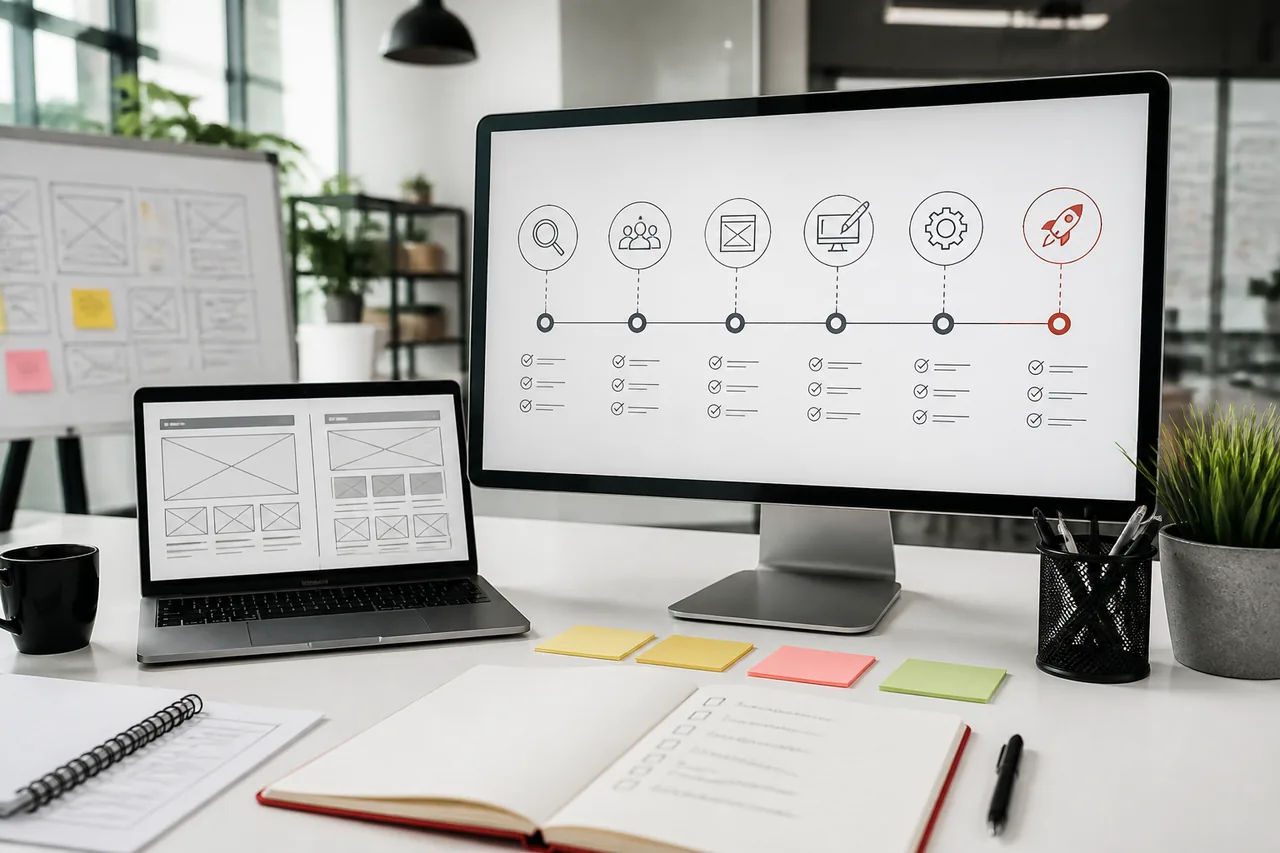
A typical custom WordPress project moves through these phases:
- Discovery and business requirements
- Information architecture
- UX/UI design
- WordPress development
- Content migration and SEO
- Quality assurance and testing
- Website launch
- Post-launch maintenance and iteration
Phases can overlap slightly (for example, content drafting during design), but skipping earlier phases almost always creates expensive fixes later.
Typical timeline ranges
| Project type | Common range |
|---|---|
| Focused marketing site | 6-8 weeks |
| Business site with custom templates | 8-12 weeks |
| Redesign with SEO migration | 8-14 weeks |
| WooCommerce / integrations-heavy build | 12-20+ weeks |
Timelines depend on content readiness, stakeholder availability, and integration complexity as much as development hours.
1. Discovery and Business Requirements
Discovery is where strategy becomes scope.
A strong WordPress project planning phase clarifies:
Business goals
What should the website achieve in the next 12 months, leads, sales, support deflection, recruiting, or brand authority?
Target audience
Who converts, on which devices, and with what objections? B2B services buyers and eCommerce shoppers need different journeys.
Competitor and market context
What do competitors communicate clearly that you do not? Where can UX or proof create an advantage?
Website objectives
Rank the top conversion actions: contact form, demo request, quote, purchase, booking, or resource download.
Functional requirements
List must-haves: CRM sync, payments, memberships, multi-location pages, calculators, portals, multilingual needs, or accessibility standards.
Budget and timeline
Share constraints early so the team can recommend optimize, redesign, or rebuild honestly. If you are replacing an outdated site, also review Signs Your Business Has Outgrown Its WordPress Website and the WordPress Website Redesign Guide.
Discovery deliverables you should expect
- Goals and success metrics summary
- Scope boundaries (in / out)
- Recommended approach and risks
- High-level timeline and responsibilities
- Assumptions that affect price
If discovery is only a sales call with no written outcomes, the project starts on guesses.
Questions discovery should answer
- What does success look like 90 days after launch?
- Which pages or flows drive revenue today?
- What must not break during migration (SEO, forms, integrations)?
- Who approves design, content, and go-live?
- What is fixed scope vs. later-phase roadmap?
Clear answers here prevent “surprise” change requests later.
2. Information Architecture
Information architecture (IA) decides how people find answers and how search engines understand your site.
Sitemap creation
Map primary pages, supporting pages, blog/resources, legal pages, and any portal or account areas. For service businesses, clarify service hierarchy before writing homepage copy.
Navigation planning
Primary navigation should reflect buyer language, not internal org charts. Secondary paths (footer, utility links) handle the rest.
User journeys
Define paths for key intents: first-time visitor, returning customer, high-intent buyer, and support seeker. Each journey should end in a clear next step.
Content hierarchy
Decide what must be said on each template: proof, offers, FAQs, CTAs, and trust signals. This prevents design that looks good but says nothing useful.
SEO-friendly URL structure
Plan clean, stable URLs early. Changing URLs late creates redirect work and ranking risk.
| IA decision | Why it matters |
|---|---|
| Service page hierarchy | Supports SEO and sales conversations |
| Blog vs resource taxonomy | Improves internal linking over time |
| URL conventions | Reduces future migration pain |
| Template inventory | Controls design and build scope |
Approve the sitemap before high-fidelity design. It is cheaper to move boxes than finished mockups.
3. UX/UI Design
Design translates architecture into usable interfaces.
Wireframes
Low-fidelity layouts validate structure, CTA placement, and content priority without debating fonts too early.
High-fidelity designs
Visual systems cover brand, typography, components, and key templates (home, service, about, contact, blog, and any commerce templates).
Responsive layouts
Mobile is not an afterthought. Design decisions should account for thumb reach, form friction, and performance on slower connections.
Accessibility
Contrast, focus states, heading order, alt text patterns, and keyboard navigation should be considered during design, not only in a late audit.
Brand consistency
A design system (components + usage rules) helps marketing launch campaigns later without breaking the brand.
For many businesses, this is also the moment to decide custom theme direction vs page-builder shortcuts. See Custom WordPress Development vs Page Builders and Custom WordPress Theme Development.
Design approval checklist
- Key templates approved, not only homepage
- Content placeholders replaced with real or near-final copy where possible
- Forms and conversion paths reviewed by marketing/sales
- Accessibility notes captured for development
- Mobile layouts reviewed on real breakpoints
4. WordPress Development
Development turns approved designs and requirements into a maintainable WordPress system.
Custom theme development
A professional build usually includes a custom or carefully engineered theme with reusable blocks/components, clean templates, and editor-friendly fields, not a fragile stack of one-off page layouts.
Plugin selection
Choose plugins for clear jobs (SEO, security, forms, caching, commerce). Prefer fewer well-supported tools over a plugin for every minor feature.
Custom functionality
When plugins cannot meet requirements cleanly, custom development should follow WordPress standards, documentation, and upgrade-safe patterns.
API integrations
CRM, ERP, marketing automation, booking, and payment systems need defined data flows, error handling, and testing, not only “form to email.”
WooCommerce setup (when applicable)
Catalog structure, product types, tax/shipping rules, checkout UX, and operations workflows belong in scope early. Explore WooCommerce Development Company if commerce is central.
Headless or hybrid options
Some projects need headless or hybrid delivery for performance or app-like experiences. That decision should come from requirements, not trend-chasing. See headless CMS / Next.js development.
What “good development” looks like operationally
- Staging environment from early build stages
- Version control and deploy process
- Performance considered in template code and media handling
- Editors can update key pages without developer intervention
- Documentation for unusual custom features
Client involvement during development
You should expect staging previews at meaningful milestones, not radio silence until the end. Useful review points include:
- First template implementation (to validate spacing, components, and editor fields)
- Integration checkpoints (forms, CRM, payments)
- Content entry rehearsal on staging
- Pre-QA walkthrough before formal testing
Frequent short reviews beat one giant end-stage surprise.
5. Content Migration and SEO
Content and SEO work should run in parallel with late design and development, not after launch.
Content migration
Inventory existing pages, decide keep/merge/retire, and map old URLs to new ones. Migration is editorial work as much as technical work.
Metadata
Title tags, meta descriptions, and social previews should be planned by template and priority page, not left to defaults.
Schema markup
Implement structured data where it helps clarity (Organization, LocalBusiness, FAQ, Product, Article, etc.) without spammy markup.
Redirects
301 redirects protect equity and bookmarks when URLs change. A redesign without a redirect map is a common and costly mistake.
Image optimization
Compress, correctly size, and use modern formats. Poor media handling quietly destroys Core Web Vitals.
Internal linking
Connect service pages, supporting content, and conversion paths so users and crawlers can move intentionally.
If platform choice is still open, WordPress vs Webflow can help frame tradeoffs. For redesign-specific SEO risks, use the redesign guide.
6. Quality Assurance and Testing
QA is where “looks done” becomes “safe to launch.”
Cross-browser testing
Verify major browsers your audience actually uses.
Mobile responsiveness
Test real devices or reliable device labs, not only desktop resize.
Performance optimization
Check Core Web Vitals on money pages (home, service, product, checkout, contact). Caching, asset loading, and media should be validated on staging.
Security checks
Hardening basics: access control, update posture, form protection, least-privilege users, and secure configuration.
Form and integration testing
Submit every critical form. Confirm CRM/email notifications, spam protection, and thank-you paths.
Accessibility review
Spot-check keyboard navigation, headings, labels, contrast, and alt text on primary templates.
WordPress QA checklist (minimum)
| Area | Pass criteria |
|---|---|
| Navigation | All primary paths work; no dead ends |
| Forms | Submissions succeed; notifications arrive |
| Commerce (if any) | Cart, checkout, tax/shipping paths verified |
| SEO basics | Titles, canonicals, sitemap, robots reviewed |
| Redirects | Priority old URLs resolve correctly |
| Performance | Key templates meet agreed targets |
| Backups | Restore process known before launch |
| Analytics | Events/conversions fire as expected |
Rushing QA to hit a marketing date often creates a more expensive “soft launch cleanup.”
7. Website Launch
Launch is a controlled cutover, not a hope-and-refresh moment.
DNS updates
Plan TTL changes, cutover window, and rollback awareness with hosting/DNS owners.
SSL configuration
Confirm HTTPS works sitewide, including mixed-content checks.
XML sitemap submission
Submit the sitemap in Google Search Console (and Bing where relevant).
Google Search Console and analytics
Verify property access, set up Analytics/Tag Manager, and validate key conversion events.
Backup strategy
Take a pre-launch backup and confirm restore ownership. Know who can recover the site if something fails.
WordPress website launch checklist
- Final content freeze window agreed
- Staging signed off by stakeholders
- Redirects deployed and sampled
- Forms and integrations retested on production
- Search Console / analytics verified
- 404 and key landing pages checked
- Maintenance / support plan active
- Admin access and ownership confirmed for the client
A clean launch feels boring. That is the goal.
Soft launch vs hard launch
Some teams soft-launch to a limited audience or keep paid campaigns paused for 24-72 hours while production checks complete. Others hard-launch on a campaign date with a freeze window and war-room support. Either approach works when roles, rollback ownership, and success checks are defined in advance.
8. Post-Launch Maintenance
The WordPress development process does not end at go-live. Websites are living systems.
Plugin and core updates
Updates need a cadence, staging checks for critical sites, and someone accountable.
Security monitoring
Watch for vulnerabilities, brute-force attempts, and suspicious file changes.
Performance monitoring
Track Core Web Vitals and uptime so regressions are caught early.
Content updates
Editors should have a clear model for publishing without breaking layouts.
Regular backups
Backups are only useful if restores are tested.
Ongoing options are covered on our support and maintenance plans and in Why WordPress Maintenance Is Essential.
First 30 days after launch
- Fix residual bugs quickly
- Review search indexing and crawl errors
- Tune conversion friction found in real traffic
- Confirm marketing can publish campaign pages
- Schedule the next improvement sprint if needed
Common Mistakes to Avoid
Skipping planning
Starting in Figma or WordPress without goals and IA creates expensive redesign loops.
Ignoring SEO until after launch
URL structure, redirects, metadata, and template SEO belong in the project plan.
Choosing the wrong hosting
Cheap hosting can erase good development work through slow TTFB, downtime, or poor support.
Using too many plugins
Each plugin is a dependency. Prefer architecture and fewer high-quality tools.
Not testing thoroughly
“It works on my laptop” is not QA.
No maintenance plan
Unmaintained WordPress sites accumulate security and compatibility risk.
Approving design without real content
Lorem ipsum hides messaging and hierarchy problems until it is too late.
Treating integrations as an afterthought
CRM and payment flows need requirements, testing, and ownership, not a last-week plugin install.
How Kodu Media Runs the Process
Kodu Media follows a collaborative WordPress development process designed for business outcomes:
- Clarity first: goals, constraints, and the smallest effective approach
- Architecture before polish: sitemap and journeys before visual detail
- Build for editors and performance: maintainable themes, sensible plugins, measurable speed
- SEO-safe delivery: metadata, schema, redirects, and launch hygiene
- Transparent communication: milestones, staging reviews, and clear change handling
- Support after launch: updates, monitoring, and iteration
We are direct when a full rebuild is unnecessary. Sometimes the right project is a phased modernization or a focused performance/UX pass.
Compare partners with Best WordPress Development Company in California and the hiring framework.
What You Should Prepare Before Kickoff
Bring these items to accelerate the WordPress website development steps:
- Brand assets (logo, fonts, guidelines, photography)
- Priority page list and rough sitemap notes
- Current website analytics access (if redesigning)
- List of must-have integrations and tools
- Examples of sites you admire (and why)
- Decision-makers and approval turnaround times
- Content owners for each major page
- Budget range and hard deadlines
Prepared clients get better proposals and cleaner timelines.
How This Process Supports Buying Decisions
If you are comparing agencies, ask each one to walk through their version of this lifecycle:
- What do they deliver at the end of discovery?
- When is the sitemap approved?
- How many template designs are included?
- How is SEO migration owned?
- What does QA include before launch?
- What happens in the first 30 days after go-live?
Partners who cannot answer clearly often deliver unclearly. Partners who teach the process usually run the process.
For vendor scoring, pair this article with How to Choose the Right WordPress Development Company and Best WordPress Development Company in California.
Frequently Asked Questions
How long does a WordPress project take?
Many business websites take 6-12 weeks from discovery to launch. Redesigns with SEO migration, WooCommerce, or complex integrations can take longer. Content readiness and stakeholder response time often matter as much as development speed.
What information should I prepare before starting?
Goals, audience, must-have features, integrations, brand assets, content owners, budget range, and timeline constraints. A short written brief is more valuable than a long unstructured call.
Can I update content after launch?
Yes, if the site is built with an editor-friendly content model. A major goal of professional custom WordPress development is letting marketing update pages without breaking design.
Will my website be mobile-friendly?
It should be. Responsive design and mobile testing are standard parts of a professional process, with special attention to forms and conversion pages on smaller screens.
How do you handle SEO during development?
SEO belongs in IA, templates, metadata, performance, internal linking, and launch redirects, not only in a plugin settings screen. Redesigns should include a migration plan when URLs change.
Do you provide post-launch support?
Yes. Ongoing maintenance typically covers updates, backups, security monitoring, and technical support. See support and maintenance.
Do I need to provide all content before development starts?
Not always, but critical pages should be drafted before design lock and launch. Late content is one of the most common causes of delayed go-lives.
Can the process work for a redesign, not only a new site?
Yes. Redesigns add content inventory, URL mapping, redirects, and careful cutover planning. Start with the WordPress website redesign guide.
What is the difference between a template install and a custom WordPress process?
A template install can be fast for simple needs. A custom process includes discovery, IA, UX, engineered theme work, integrations, QA, and SEO-safe launch, better for businesses that need differentiation and maintainability.
Who owns the website after launch?
You should retain admin access and contracted ownership of deliverables. Partners may manage hosting/updates under a retainer, but access lock-in is a red flag.
How many revision rounds are normal?
Many projects include defined design and content revision rounds per phase. Unlimited revisions without criteria often create delay; clear acceptance criteria work better.
When should WooCommerce be decided in the process?
As early as discovery. Commerce requirements affect IA, design templates, hosting, integrations, and QA scope. Waiting until late development creates rework.
Related Services
If you are planning a WordPress project, these pages may help:
- WordPress Development Company
- Custom WordPress Theme Development
- WooCommerce Development Company
- WordPress Maintenance Services
- Headless WordPress Development
- WordPress Development Cost in California
- Best WordPress Development Company in California
- How to Choose the Right WordPress Development Company
- Custom WordPress Development vs WordPress Themes
- WordPress vs Webflow
- Custom WordPress Development vs Page Builders
- WordPress Website Redesign Guide
- Signs Your Business Has Outgrown Its WordPress Website
Planning a New WordPress Website?
Whether you are building your first business website or replacing an outdated one, Kodu Media follows a structured development process that delivers fast, secure, and scalable WordPress websites, with clear communication from planning to launch.