Most businesses do not redesign a website for fun. They redesign because something important is broken: leads are flat, pages are slow, the brand looks outdated, editors cannot publish without help, or the site no longer supports the way the company sells.
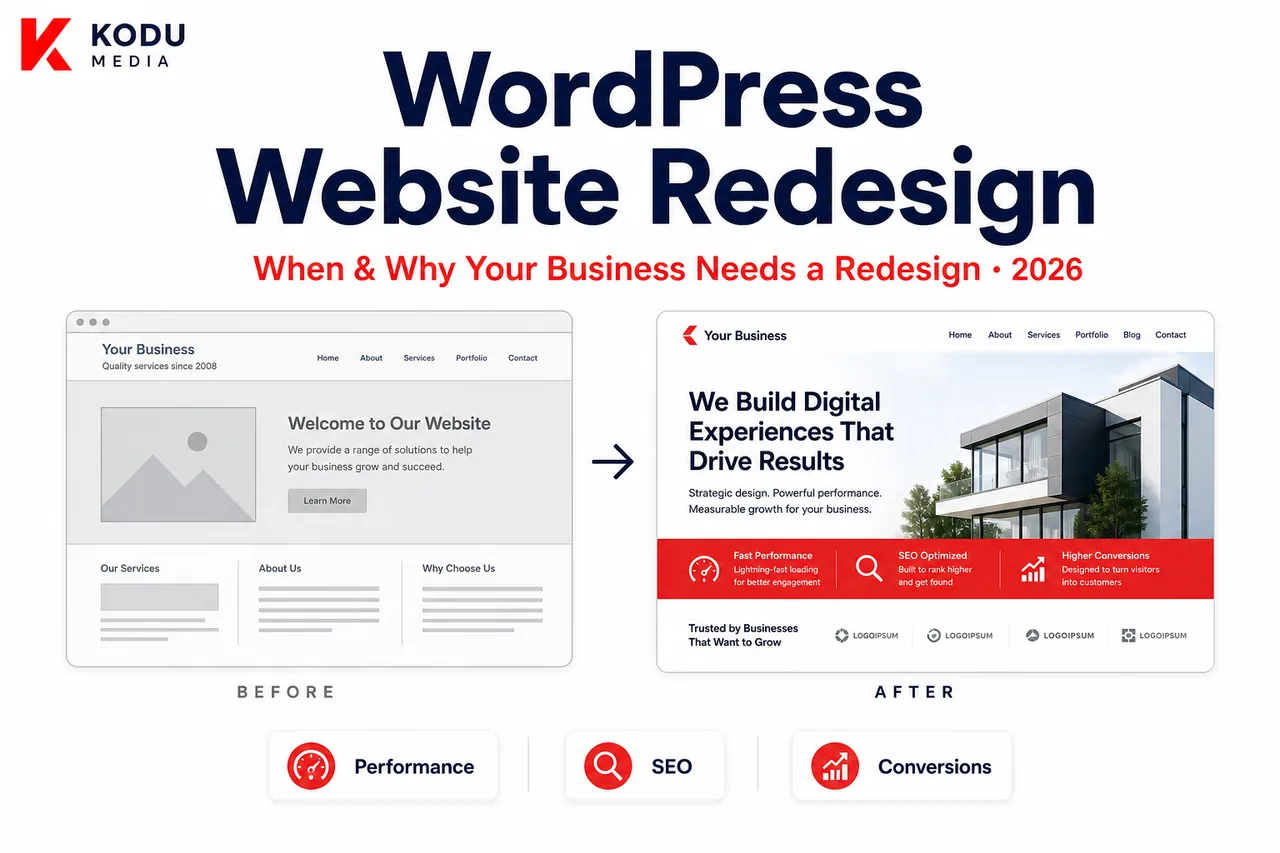
A WordPress website redesign can improve user experience, strengthen SEO foundations, increase conversions, and make day-to-day content management easier. Done poorly, it can also erase rankings, confuse customers, and create expensive technical debt.
This guide explains when a redesign is justified, how redesign differs from a full rebuild, what the process should include, how to protect SEO, and how to budget realistically. For a platform-agnostic investment comparison, see Website Redesign vs Building a New Website.
By the end, you should be able to:
- Spot the warning signs that justify investment
- Decide whether you need a refresh or a rebuild
- Protect SEO during migration
- Budget with realistic ranges
- Evaluate redesign partners with better questions
If you already know you need a partner, start with our WordPress Development Company page, or go deeper on custom WordPress theme development when architecture is the real issue.
What Is a WordPress Website Redesign?
“Redesign” is used loosely. Clarifying scope early prevents mismatched proposals and surprise costs.
Visual Refresh
Updates to colors, typography, imagery, spacing, and component styling while keeping most templates and content structure intact. Best when the brand changed but the information architecture still works.
UX Redesign
Improves navigation, page hierarchy, conversion paths, forms, and mobile usability. The site may look similar in brand language but behaves more clearly for users.
Technical Rebuild
Replaces fragile theme/builder architecture, reduces plugin bloat, improves performance, and modernizes templates, often with a new custom theme, even if visual direction stays close to the current brand.
Complete Website Redevelopment
A full reset: new strategy, IA, design system, theme architecture, content model, and often migration cleanup. This is website modernization at the deepest level.
Most successful projects combine UX and technical work. A prettier homepage on the same slow, brittle stack rarely fixes conversion or maintenance problems.
What Redesign Is Not
A redesign is not:
- Installing a new premium theme over broken content
- Adding a page builder on top of an already heavy site
- Changing colors while leaving conversion paths unclear
- “Refreshing” the homepage and ignoring service/product templates
Those shortcuts create the next redesign sooner. Real WordPress website redesign services address strategy, structure, design systems, and technical health together.
Signs Your Website Needs a Redesign
Use these signals as a practical checklist, not as pressure to rebuild everything immediately.
Outdated Design
If your site looks like it belongs to a previous brand era, prospects may question credibility before they read a word. Design alone is not enough, but dated visuals often correlate with outdated UX patterns.
Slow Loading Speeds
Slow pages tax SEO, paid media efficiency, and user trust. If key templates fail Core Web Vitals on mobile, redesign planning should include performance architecture, not only new mockups. See our WordPress performance optimization guide.
Poor Mobile Experience
If forms, menus, product pages, or CTAs are awkward on phones, you are leaking demand. Mobile-first redesign is now table stakes for most business websites.
Low Conversion Rates
Traffic without conversions is an expensive vanity metric. Redesigns should target friction: unclear value propositions, weak CTAs, confusing service structures, and long forms.
Difficult Content Management
If marketers need a developer for routine updates, or your team fights Elementor/Divi debt every campaign cycle, the CMS experience is part of the redesign problem. Compare approaches in custom WordPress development vs page builders.
Security Concerns
Old themes, abandoned plugins, and unclear update ownership create risk. Redesigns are a chance to reduce attack surface and establish maintainable update workflows via WordPress Maintenance Services.
Branding Changes
New positioning, logo systems, or market segments often require more than a CSS color swap, especially when messaging and page structure must change.
SEO Issues
Thin templates, weak internal linking, poor heading structure, duplicate content, or unindexable builder markup can justify structural redesign. Fundamentals: how to improve website SEO.
Plugin Conflicts and Technical Fragility
If every WordPress or plugin update risks breaking layouts, your foundation is too fragile for growth.
Poor Core Web Vitals
LCP, INP, and CLS problems are redesign inputs. Fixing them may require template simplification, asset strategy changes, and cleaner theme code, not only a CDN checkbox.
Quick diagnostic: If three or more signs above are true, and leadership is already discussing “we need a new website,” you are likely in redesign/rebuild territory, not another round of patchwork.
How to Validate the Need With Data
Before approving budget, pull evidence:
- Bounce rate and engagement on top landing pages
- Mobile vs desktop conversion rate gaps
- Form start vs form completion rates
- Core Web Vitals on money pages
- Organic landing-page trends over 6-12 months
- Sales feedback on lead quality and site objections
- Editor time spent publishing common page types
Data turns redesign from a subjective taste debate into a business case.
Benefits of a Website Redesign
A well-planned business website redesign can deliver:
Better Performance
Leaner templates and intentional asset loading improve speed and reduce bounce rates on key pages.
Improved SEO Foundations
Cleaner structure, stronger internal linking, better metadata systems, and faster pages support organic growth.
Higher Conversion Rates
Clearer journeys, trust signals, and CTA placement turn more visitors into leads or customers.
Stronger Branding
Consistent visual language and messaging make the company feel current and credible.
Better Accessibility
Modern patterns improve usability for more people and reduce compliance risk.
Easier Content Management
Custom blocks and structured fields help teams publish without breaking design.
Enhanced Security Posture
Fewer unnecessary plugins, clearer ownership, and better update discipline reduce operational risk.
The goal is not novelty. The goal is a website that supports sales, marketing, and operations for the next stage of the business.
Benefits You Can Measure
Define success metrics before design starts:
- Increase in qualified form submissions
- Improvement in mobile conversion rate
- Reduction in LCP on key templates
- Faster average time-to-publish for marketing pages
- Fewer post-update emergency tickets
- Growth in organic sessions to priority service pages
If nobody defines measurement, redesign quality becomes opinion-based.
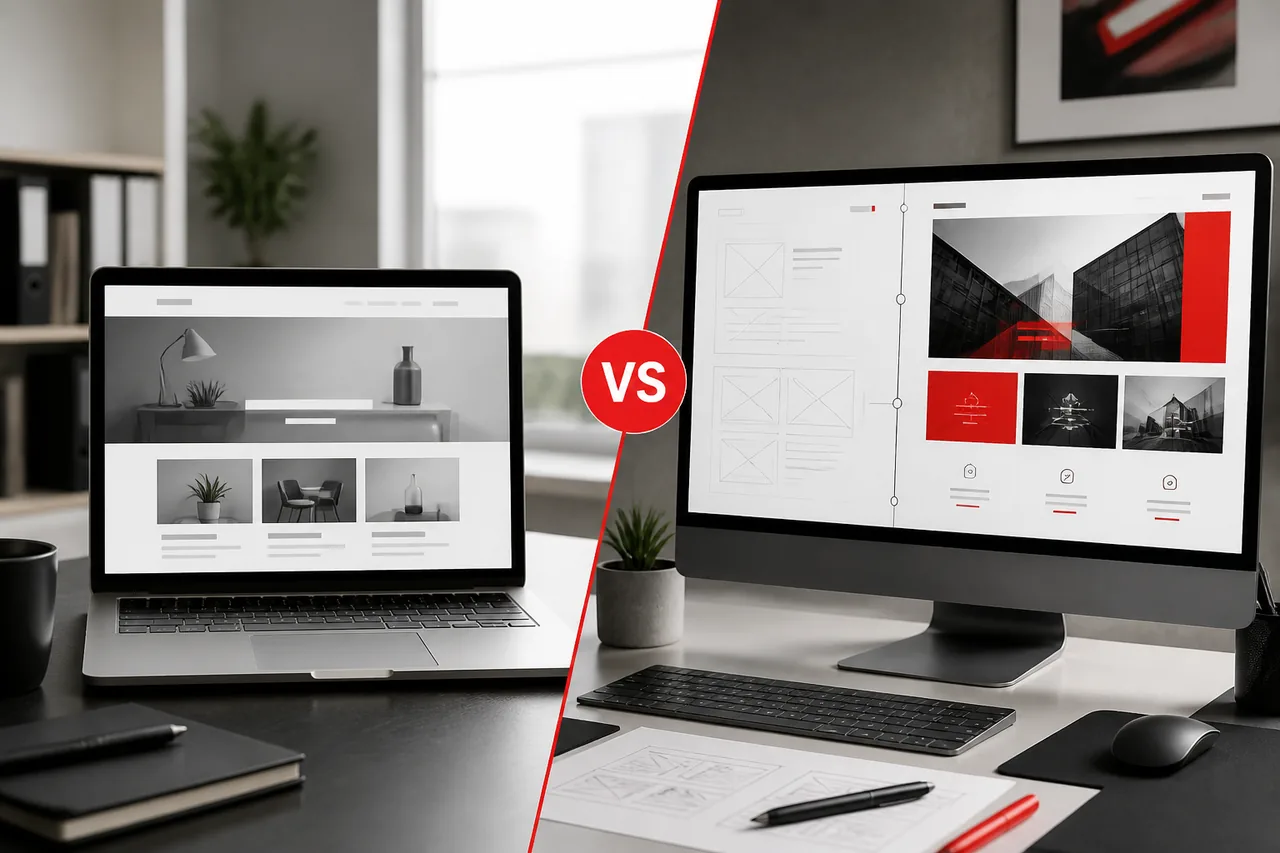
Website Redesign vs Rebuild
| Factor | Redesign (Refresh / UX-led) | Rebuild (Technical / Full Redevelopment) |
|---|---|---|
| Primary goal | Improve look, UX, messaging | Fix architecture + UX + performance |
| Theme/builder stack | Often retained or lightly modified | Usually replaced |
| Best when | Brand/UX is dated but stack is healthy | Stack is slow, fragile, or unscalable |
| SEO risk | Moderate if URLs/content preserved | Higher if poorly planned; manageable if done well |
| Timeline | Often shorter | Often longer |
| Investment | Lower to mid | Mid to high |
| Long-term ROI | Good for presentation issues | Better when technical debt is the blocker |
Choose a Redesign When:
- Hosting and theme architecture are solid
- Performance is acceptable
- Editors can manage content reasonably
- The main gaps are visual design, messaging, and conversion UX
Choose a Rebuild When:
- Page-builder debt or bloated themes dominate
- Core Web Vitals are chronically poor
- Integrations need a cleaner foundation
- WooCommerce templates are fragile
- You cannot launch campaigns without breakage
Many California growth companies discover they asked for a “redesign” and actually needed a rebuild. A good website redesign company should diagnose which one you need before selling a package.
The Website Redesign Process
1. Discovery
Clarify business goals, audiences, conversion actions, brand direction, constraints, and success metrics. Review analytics, CRM lead quality, and sales feedback, not only homepage opinions.
Discovery should produce a written scope: in-scope templates, out-of-scope items, assumptions, and risks. Without that, redesign projects drift.
2. UX Audit
Map current user journeys, navigation issues, content gaps, form friction, and mobile pain points. Identify which templates drive revenue and which create confusion.
A useful audit output is a prioritized friction list: what blocks trust, what blocks understanding, and what blocks action.
3. Content Review
Decide what to keep, rewrite, consolidate, or retire. Redesigns fail when old content is poured unchanged into new templates.
Content review also includes ownership: who rewrites service pages, who approves legal/compliance language, and what happens to outdated blog posts.
4. Design
Create a system: typography, components, templates, and conversion patterns. Design for reuse, not one-off artboards.
Ask for component states (hover, error, mobile) and template coverage beyond the homepage. Homepage-only design packages are a common redesign trap.
5. Development
Implement the theme/templates, blocks/fields, integrations, and performance strategy. For custom architecture, see custom WordPress theme development.
Development milestones should be reviewable on staging with real content, not lorem ipsum only.
6. Testing
QA across devices, browsers, forms, redirects, schema, analytics events, and critical conversion paths. Include accessibility checks where relevant.
For WooCommerce, test cart, checkout, coupons, taxes, and payment sandboxes before launch, not after the first lost order.
7. Launch
Coordinate DNS/hosting cutover, cache/CDN verification, sitemap submission, and smoke tests on purchase/lead paths.
Have a rollback/communication plan. Even smooth launches benefit from a clear “who watches what” checklist in the first 48 hours.
8. Post-Launch Optimization
Monitor rankings, CWV, conversion rate, and editor feedback. Iterate on templates that underperform.
The first 30 days are for stabilization and learning. The next 90 days are for conversion and content iteration.
A mature process reduces “big reveal” risk. You should see milestones, staging previews, and decision checkpoints, not a black box for eight weeks.
Stakeholder Roles That Keep Projects Moving
Successful redesigns usually assign:
- Executive sponsor: decisions on brand and budget
- Marketing owner: messaging, content priorities, campaigns
- Operations/sales input: lead quality and funnel reality
- Technical owner: integrations, hosting, analytics
- Agency PM: timeline, risks, weekly progress
When everyone “owns” the website, no one decides. Clear roles prevent redesigns from stalling in feedback loops.
SEO During a Redesign
SEO is where redesign projects succeed or fail quietly.
URL Redirects
If URLs change, map old-to-new redirects carefully. Missing redirects are one of the fastest ways to lose rankings and break backlinks.
Metadata Preservation and Improvement
Preserve high-performing titles/descriptions where still accurate; improve weak ones intentionally. Do not wipe metadata by accident during migration.
Structured Data
Re-implement schema for pages, articles, products, FAQs, and organization data as needed.
Sitemap Updates
Generate and submit updated XML sitemaps after launch. Remove retired URLs cleanly.
Internal Linking
Rebuild contextual links between money pages, resources, and supporting content. Redesigns are an opportunity to strengthen topical clusters, not flatten them.
Page Speed and Core Web Vitals
New design should not reintroduce bloat. Performance budgets belong in the redesign brief.
Content Equity
Do not delete ranking pages casually. Consolidate with redirects when content overlaps, and keep unique valuable pages alive in the new IA.
If you are comparing platform directions during modernization, WordPress vs Webflow can help frame ownership and extensibility tradeoffs, but most redesigns stay on WordPress when content and integrations already live there.
SEO Pre-Launch Checklist
- Crawl staging and production URL inventories
- Confirm redirect coverage for changed URLs
- Validate canonical tags
- Check indexability (no accidental noindex on production)
- Confirm XML sitemap completeness
- Test internal links on top templates
- Verify title/H1 alignment on money pages
- Re-test Core Web Vitals on mobile
- Confirm analytics and conversion events
Skip this checklist and you may launch a prettier site that underperforms the old one for months.
Common Mistakes to Avoid
Losing Rankings Through Careless Migration
No redirect map, broken canonicals, and missing metadata create avoidable SEO damage.
Ignoring Redirects
“We’ll fix redirects later” often means organic traffic drops first.
Deleting Valuable Content
Old blog posts, resource pages, and location pages may still earn leads. Audit before archive.
Forgetting Mobile Users
Desktop-first redesigns still fail in mobile-heavy industries.
Skipping User Testing
Internal opinions are not user evidence. Test key journeys with real stakeholders or customers.
Redesigning Without Conversion Goals
A beautiful site that does not clarify offers, proof, or next steps is unfinished.
Keeping Every Plugin and Builder Habit
A redesign that preserves all technical debt is a re-skin, not modernization.
Launching Without Analytics Continuity
Ensure GA4, conversion events, and key tracking still fire after launch.
How Much Does a WordPress Website Redesign Cost?
WordPress website redesign cost depends on scope: visual refresh, UX redesign, custom rebuild, content volume, integrations, and whether WooCommerce is involved.
Typical planning ranges for US/California business projects:
| Redesign Type | Typical Investment Range |
|---|---|
| Visual refresh (limited templates) | $3,000-$8,000 |
| UX + design system update | $8,000-$20,000 |
| Custom theme rebuild + migration | $15,000-$40,000+ |
| WooCommerce / complex rebuild | $20,000-$60,000+ |
| Enterprise multi-stakeholder redevelopment | $40,000-$150,000+ |
These are planning ranges, not fixed quotes. For broader budgeting context, read WordPress Development Cost in California.
Cost drivers include:
- Number of templates and page types
- Content migration and rewrite effort
- Custom functionality and integrations
- SEO preservation complexity
- Design system depth
- Timeline compression
- Post-launch support needs
Cheapest is rarely best when organic traffic and paid acquisition already depend on the site.
How to Compare Redesign Proposals
Ask each vendor:
- Is this a refresh, UX redesign, or rebuild?
- What happens to existing URLs and rankings?
- Which templates are in scope for launch vs phase two?
- How will performance be measured?
- Who writes/migrates content?
- What is included in QA and post-launch support?
- What is explicitly out of scope?
Two proposals with the same “redesign” label can include completely different work. Force clarity before you choose on price.
Redesigning WooCommerce and Content-Heavy Sites
WooCommerce Redesigns
Store redesigns must protect product URLs, category structures, checkout reliability, and campaign templates. Visual upgrades that slow product pages can reduce revenue even if the brand looks better. For commerce-focused modernization, align with WooCommerce Development Company capabilities.
Content-Heavy Sites
Publishers, resource hubs, and multi-service companies need redesigns that improve findability and editing speed. Template consistency and internal linking usually matter more than homepage animation.
Headless or Hybrid Paths
Some organizations evaluate headless architectures during major rebuilds. That can make sense for app-like front ends, but it is not required for every redesign. Explore options via Next.js / headless development only when requirements justify the complexity.
Why Businesses Choose Kodu Media for Website Redesign
Kodu Media approaches redesign as a business project, not a cosmetic exercise.
Diagnosis Before Design
We determine whether you need a refresh, UX redesign, or technical rebuild, so you do not overbuy or underbuild.
SEO-First Migration Planning
Redirects, metadata, sitemaps, and indexation checks are part of delivery, not an afterthought.
Performance-Minded Implementation
New templates are built with Core Web Vitals and conversion paths in mind.
Custom Theme Capability
When builder debt or theme limitations are the blocker, we rebuild on maintainable custom WordPress architecture.
Long-Term Partnership
Launch is a milestone. Maintenance, iteration, and measurement keep the redesigned site compounding value.
If you are comparing partners, use our guide on choosing the best WordPress development company in California.
What Working With Kodu Media Feels Like
- Clear recommendation: refresh vs rebuild
- Transparent proposal with phased options when useful
- US business-hours collaboration
- Weekly progress visibility
- SEO and performance treated as launch requirements
- Optional maintenance so the new site does not decay
We are not interested in redesigning a site only to leave you with the same maintenance chaos under a new skin.
Redesign Planning Checklist
Before you request proposals, prepare:
- Current analytics access and top landing pages
- Lead/sales conversion definition
- Brand guidelines or rebrand notes
- Must-keep URLs and content
- Known technical pain points
- Integration list (CRM, forms, payments, chat)
- Desired launch window
- Budget range and decision makers
Clear inputs produce clearer estimates and fewer change orders.
Timeline Expectations by Project Type
| Project Type | Typical Timeline | Notes |
|---|---|---|
| Visual refresh | 3-6 weeks | Limited template set, content mostly reused |
| UX + design system redesign | 6-10 weeks | Navigation and conversion paths updated |
| Custom theme rebuild | 8-14 weeks | Architecture + migration + training |
| WooCommerce redesign/rebuild | 10-16+ weeks | Catalog, checkout, and integrations add complexity |
| Enterprise multi-brand | 3-6 months | Governance and stakeholder cycles dominate |
Timelines stretch when content is unprepared, brand decisions are unsettled, or integrations are discovered late. Discovery exists to surface those risks early.
When Not to Redesign Yet
A redesign may be premature if:
- You have no clear conversion goal
- Brand positioning is still changing weekly
- The real issue is weak offer/messaging, not the website UI
- Traffic is too low to learn from (fix acquisition first)
- You only want a new homepage animation
In those cases, fix strategy and measurement first. Then redesign with intent.
California Business Context
California companies often redesign under growth pressure: new funding, new markets, tougher competition, or rising paid acquisition costs. In Los Angeles, the Bay Area, San Diego, and Orange County, websites are expected to look current and perform under real traffic.
That environment makes technical quality non-negotiable. A redesign that improves brand expression but worsens mobile speed can increase CAC. A redesign that modernizes UX and architecture can improve both conversion rate and organic durability.
If budget planning is part of your California vendor search, pair this guide with WordPress Development Cost in California.
Sample Redesign Scenarios
Scenario A: Professional Services Firm
Problem: Dated design, unclear service hierarchy, strong brand offline but weak digital trust. Approach: UX redesign + custom theme components for services, case studies, and lead forms. Success metrics: Higher contact-form completion and improved mobile engagement.
Scenario B: Builder-Heavy Marketing Site
Problem: Elementor debt, slow campaign pages, inconsistent layouts. Approach: Rebuild on Gutenberg custom theme; migrate priority pages first. Success metrics: Better CWV, faster publishing, fewer update regressions.
Scenario C: Growing WooCommerce Brand
Problem: Generic product templates, checkout friction, campaign pages fighting the theme. Approach: WooCommerce-focused redesign with performance budgets on PDP/cart/checkout. Success metrics: Higher add-to-cart rate and lower mobile checkout abandonment.
Content Strategy During Redesign
Design gets attention, but content often determines whether the redesigned site converts.
Rewrite What Matters Most
Priority pages usually include:
- Homepage value proposition
- Core service or product pages
- Pricing or engagement pages (if used)
- About / trust pages
- High-traffic blog posts that still convert
Do not rewrite everything at once if that delays launch. Phase content improvements after the new system is live when needed.
Keep Proof Close to Decisions
Case studies, testimonials, certifications, process clarity, and FAQs should appear near CTAs, not only on isolated pages visitors never reach.
Align Messaging With Sales Reality
If sales says prospects misunderstand your offer, the redesign brief should include that insight. A new layout with the same confusing copy rarely improves close rates.
Post-Launch 30/60/90 Plan
First 30 Days
- Monitor rankings and crawl errors
- Confirm analytics and form delivery
- Fix usability issues found by real editors/users
- Stabilize performance regressions
Days 31-60
- Improve underperforming templates
- Expand high-intent landing pages
- Refine CTAs based on early conversion data
Days 61-90
- Add phase-two features deferred from launch
- Strengthen internal linking clusters
- Plan ongoing maintenance and enhancement sprints
Redesign success is measured across this window, not only on launch day screenshots. Teams that skip post-launch optimization often conclude “the redesign didn’t work,” when the real issue is that conversion learning never started.
Frequently Asked Questions
How often should a website be redesigned?
Most businesses revisit design and UX every 2-4 years, or sooner after major brand, product, or market shifts. Technical rebuilds should be driven by performance and maintainability, not a calendar alone.
Will I lose my SEO rankings during a redesign?
Not if migration is planned correctly. Rankings are at risk when URLs break, content disappears, or technical SEO is ignored. A careful redesign can protect and eventually improve organic performance.
How long does a WordPress website redesign take?
Focused refreshes may take 4-8 weeks. Custom rebuilds often take 8-16 weeks depending on content volume, integrations, and stakeholder complexity.
Can I keep my existing content?
Yes. Most redesigns keep high-value content, improve it, and retire only what no longer serves users or SEO.
Should I redesign or rebuild?
Redesign if presentation and UX are the main issues. Rebuild if architecture, speed, builder debt, or maintainability are blocking growth.
Can you redesign WooCommerce stores?
Yes. WooCommerce redesigns require extra care around catalog templates, checkout, and revenue tracking.
Do I need new hosting for a redesign?
Not always. Hosting changes are recommended when performance or reliability is constrained by the current environment.
Can you redesign a site built with Elementor or Divi?
Yes. Many projects migrate from page-builder stacks into custom themes while preserving content and SEO equity.
What should I look for in a website redesign company?
Process clarity, SEO migration competence, performance discipline, relevant portfolio work, and transparent communication. Price alone is a weak signal.
How do we get started with Kodu Media?
Schedule a free consultation. We’ll review your current site, goals, and constraints, then recommend a redesign or rebuild plan with clear scope.
Related Services
- WordPress Development Company
- Custom WordPress Theme Development
- WooCommerce Development Company
- WordPress Maintenance Services
- Headless / Next.js Development
- WordPress Development Cost in California
- How Much Does a Website Cost in the USA?
- Website Redesign vs Building a New Website
- How to Choose a Website Development Company in the USA
- Best WordPress Development Company in California
- WordPress vs Webflow
- Custom WordPress Development vs Page Builders
- WordPress for California Businesses
- Signs Your Business Has Outgrown Its WordPress Website
- How to Choose the Right WordPress Development Company
- WordPress Website Development Process
Ready to Modernize Your Website?
Whether your website needs a visual refresh or a complete technical rebuild, Kodu Media can help you create a faster, more secure, and conversion-focused WordPress website.
We’ll help you protect SEO, clarify scope, and choose the right level of redesign for your business goals, not a generic package that ignores your constraints and growth roadmap.