If your WordPress site feels slow, hard to maintain, or painfully limited every time marketing wants a new campaign layout, you are not alone. Many growing businesses start with Elementor, Divi, WPBakery, or another page builder because it is fast to launch. Later, they hit the same wall: bloated pages, fragile updates, inconsistent design, and expensive workarounds.
That frustration is why searches for custom WordPress development vs page builders keep rising. Teams want to know whether rebuilding with a custom theme is worth it, or whether they should keep iterating inside a builder.
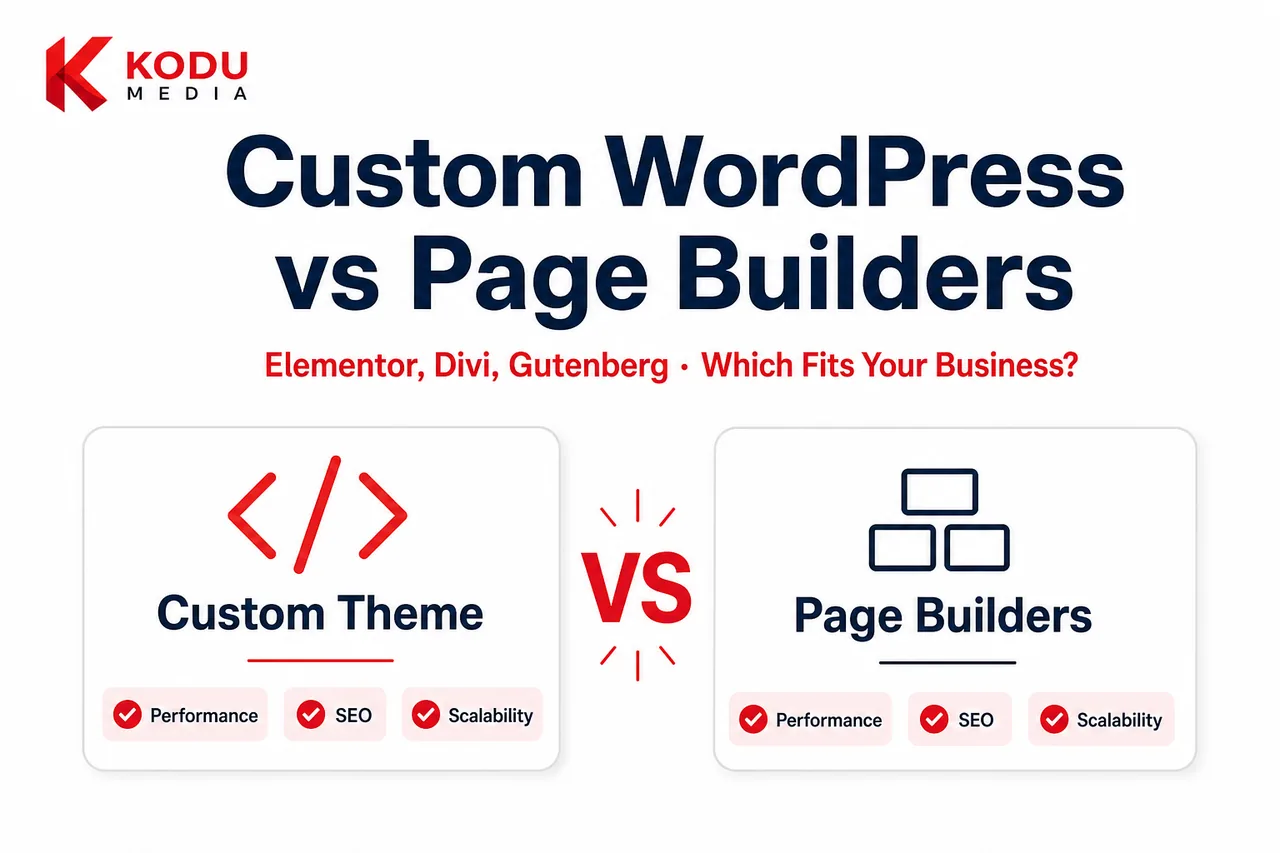
There is no universal answer. Page builders can be the right tool for certain projects. Custom WordPress development is usually the better foundation when performance, SEO, brand control, and long-term scalability matter.
This guide compares both approaches honestly so you can choose based on business goals. If you already know custom themes are the direction, start with our Custom WordPress Theme Development service page. For broader delivery scope, see our WordPress Development Company overview.
By the end, you should know:
- When a page builder is still the practical choice
- When custom development becomes the higher-ROI path
- How to migrate without throwing away SEO equity
- What questions to ask before approving a rebuild budget
Related reading: If your decision is theme-level rather than builder-level, see Custom WordPress Development vs WordPress Themes (and the shorter pre-built themes comparison).
What Is Custom WordPress Development?
Custom WordPress development means designing and engineering a website around your brand, content model, and growth plan, not around a third-party builder’s drag-and-drop constraints.
A custom approach typically includes:
- A purpose-built theme architecture
- Gutenberg blocks or structured fields matched to real publishing needs
- Clean, maintainable front-end code
- Performance budgets from day one
- SEO-ready templates and technical foundations
- Integrations designed for your CRM, forms, commerce, or portals
- An editing experience that protects design consistency
Custom does not mean “rebuild every button by hand forever.” It means critical templates, components, and workflows are engineered for your business instead of inherited from a generic builder stack.
For many organizations, this is the difference between a website that stays manageable for five years and one that needs a rebuild every 18-24 months.
What Are WordPress Page Builders?
WordPress page builders are visual editing tools that let users create layouts by dragging sections, columns, and widgets onto a canvas.
Popular options include:
- Elementor
- Divi
- WPBakery
- Beaver Builder
- Brizy
- Oxygen (more developer-oriented)
- Gutenberg (WordPress block editor, native, and different in important ways)
Most third-party builders promise speed: launch faster, edit visually, avoid “code.” That promise is real for many small sites. The tradeoffs appear as traffic, content volume, brand standards, and integration needs grow.
Gutenberg vs Elementor (and Other Builders)
Gutenberg is WordPress’s native block editor. When paired with a custom theme and well-designed blocks, it can deliver a clean editing experience without the weight of a full third-party builder runtime.
Elementor and Divi are fuller visual builders with large widget libraries and design controls. They are powerful, and often heavier. Gutenberg vs Elementor is not only a UX preference; it is also an architecture decision that affects performance, maintenance, and long-term flexibility.
Think of Gutenberg as the operating system WordPress already provides, and third-party builders as an additional application layer on top. That layer can be incredibly useful. It can also become the reason your site feels slow and brittle once growth accelerates.
Quick Comparison Table
| Factor | Custom WordPress Development | Page Builders (Elementor/Divi/etc.) |
|---|---|---|
| Time to first launch | Longer planning + build | Often faster |
| Design uniqueness | High | Medium (easy to look similar) |
| Performance potential | Excellent when engineered well | Variable; often heavier |
| SEO technical control | Excellent | Good to moderate |
| Security surface | Smaller when dependencies are intentional | Larger plugin/runtime surface |
| Maintenance complexity | Predictable with good architecture | Can grow messy over time |
| Editor experience | Excellent when designed for your team | Excellent for visual editing |
| Scalability | Strong for growth roadmaps | Strong early; can constrain later |
| Best for | Growth-focused / complex sites | Simple-to-mid marketing sites |
Performance Comparison
Performance is the most common reason businesses leave page builders.
Why Builder Sites Get Slow
Page builders often load:
- Large CSS frameworks
- Widget styles you are not using
- Extra JavaScript for editing/runtime behavior
- Nested containers that inflate DOM size
- Multiple overlapping animation/script libraries
One landing page may still feel fine. Multiply that across dozens of templates, blog layouts, WooCommerce pages, and campaign clones, and Core Web Vitals usually suffer.
Another silent issue is “design convenience debt.” Builders make it easy to nest sections inside sections, duplicate blocks, and add motion effects. Each choice feels small. Together they create pages that are visually busy and computationally expensive, especially on mobile networks.
Custom Theme Performance Advantages
Custom development lets you:
- Ship only the CSS/JS each template needs
- Control Critical CSS and asset loading
- Keep DOM structures lean
- Avoid unused widget libraries
- Design mobile performance intentionally
- Set and enforce performance budgets
Custom teams can also optimize by template type. A blog post, product detail page, and paid landing page do not need identical asset payloads. That level of control is difficult when every page inherits a broad builder runtime.
For technical benchmarks and remediation patterns, see our WordPress performance optimization guide.
How to Test Before You Rebuild
Before committing to a rebuild, measure:
- LCP and INP on your top five revenue pages (mobile)
- Total JavaScript weight and unused CSS
- DOM node counts on campaign pages
- Time to edit and publish a new landing page
- How often updates cause layout regressions
If performance is poor but the site is small and simple, optimization inside the builder may be enough. If performance is poor and the roadmap is growing, custom architecture usually pays for itself.
A Fair Caveat
A carefully built Elementor site can outperform a careless custom theme. Tooling quality matters. Still, at equal craftsmanship, custom architecture usually wins because it carries less default weight.
Performance takeaway: If paid traffic, SEO, or conversion rate depends on speed, treat builder runtime cost as a first-class decision, not an afterthought.
SEO Comparison
Both custom sites and builder sites can rank. The difference is how much technical friction your SEO program inherits.
| SEO Factor | Custom WordPress | Page Builders |
|---|---|---|
| Semantic HTML control | High | Often weaker due to nested wrappers |
| Heading discipline | Easy to enforce in templates | Easy to break visually |
| Core Web Vitals | Stronger potential | More risk under load |
| Schema implementation | Highly flexible | Possible, sometimes awkward |
| Template consistency | Excellent | Depends on editor discipline |
| Crawl efficiency | Usually cleaner | Can suffer from bloat/duplication |
| Landing page systems | Scalable with blocks/patterns | Fast to make, harder to govern |
Custom WordPress vs Elementor for SEO
Custom WordPress vs Elementor SEO debates usually come down to governance. Elementor makes it easy to publish pages quickly, and equally easy to create inconsistent heading structures, oversized images, duplicate sections, and layout debt.
Custom themes with Gutenberg blocks make the “right” structure the default. That helps SEO teams scale content without rebuilding technical quality on every page.
SEO Operations at Scale
As content volume grows, SEO becomes an operations problem:
- Can writers launch pages without breaking H1/H2 hierarchy?
- Can SEOs implement schema without fighting the builder DOM?
- Can landing pages share modular components without duplicate content mess?
- Can performance stay stable as the library of pages expands?
Custom systems answer those questions with defaults and guardrails. Builder systems can answer them too, but usually through policy and specialist oversight, which many teams underestimate.
For foundational tactics that apply on either stack, see how to improve website SEO.
Security
Page Builder Security Considerations
Builders add another major dependency layer:
- Builder plugin updates
- Add-on/plugin ecosystems around the builder
- Larger attack surface from extra scripts and admin interfaces
- Higher risk when sites rely on many third-party widgets
None of this makes builders “insecure by default.” It does mean more moving parts to monitor. The risk compounds when marketing installs “just one more” add-on for forms, popups, sliders, or dynamic content.
Custom Development Security Advantages
Custom themes reduce dependency sprawl when features are built intentionally. Security still requires:
- Update discipline
- Secure coding practices
- Role/capability hygiene
- Backups and monitoring
- Careful plugin selection
A custom site with reckless plugins is not safer than a clean builder site. The advantage is architectural: fewer unnecessary runtime layers and clearer ownership of what the site actually needs.
Practical Security Questions to Ask Any Vendor
- How do you test updates on staging?
- Who has admin access and why?
- What is the backup and restore process?
- How are form endpoints protected?
- Which plugins are mandatory vs optional?
Ongoing WordPress Maintenance Services remain essential either way. See also why WordPress maintenance is essential.
Maintenance
Maintenance is where many teams feel the true cost of page builders.
Common Builder Maintenance Pain
- Layouts break after builder or WordPress updates
- Global styles drift across pages
- Too many one-off landing pages with no reusable system
- Add-on conflicts
- Difficulty transferring knowledge when a freelancer leaves
- “Only one person knows how this was built”
Builder sites also tend to accumulate abandoned experiments: old campaign sections, unused templates, and conflicting global settings. Over time, editors stop trusting the system and either open tickets for every change or publish inconsistent pages.
Custom Theme Maintenance Advantages
Well-built custom themes usually offer:
- Clearer template ownership
- Reusable blocks/patterns
- Fewer surprise visual regressions
- Easier onboarding for new editors
- More predictable update testing
Custom is not maintenance-free. It is maintenance that scales more cleanly when architecture is documented and intentional.
Editor Enablement Matters
The best custom builds include training and an editor playbook:
- Which blocks to use for which page types
- What can be changed safely
- What requires design/dev review
- How to request new patterns
Without that enablement, even custom sites can become chaotic. With it, marketing velocity usually improves because people stop fearing the CMS.
Long-Term Cost
Page builders often win on short-term cost and lose on long-term total cost of ownership.
Typical Builder Cost Pattern
- Low initial build cost
- Fast early publishing
- Gradual performance decline
- Growing plugin/add-on spend
- Increasing developer hours to “make the builder do X”
- Partial or full rebuild when limits become painful
Typical Custom Development Cost Pattern
- Higher initial investment
- Cleaner launch architecture
- Lower per-page chaos over time
- Better conversion/SEO durability
- Easier feature expansion without stacking widgets
- Longer useful life before major replatforming
For California budget ranges and project types, use our WordPress Development Cost in California guide. Custom theme and business-site investments are usually higher upfront than builder launches, and often cheaper over a 3-year horizon when growth is real.
| Cost Lens | Page Builders | Custom Development |
|---|---|---|
| Initial build | Usually lower | Usually higher |
| Plugin/tooling fees | Can accumulate | Usually lower recurring tool sprawl |
| Performance remediation | Common later | Lower if built well |
| Rebuild likelihood | Higher for growth sites | Lower when roadmap-aligned |
| 3-year TCO for complex sites | Often higher | Often lower |
Budgeting Tip
When comparing proposals, ask each vendor to estimate:
- Initial build
- First-year maintenance
- Likely plugin/tooling fees
- Expected performance remediation hours
- Probability of a major rebuild within 24 months
A cheaper builder quote can lose once those line items are honest. A higher custom quote can win when it removes future rebuild risk. For market context, revisit WordPress Development Cost in California.
Scalability
Where Page Builders Scale Well
- Small marketing sites
- Early-stage startups validating messaging
- Teams that need frequent visual experiments
- Projects with limited integration needs
- Short-lifecycle campaign sites
Where Custom Development Scales Better
- Multi-template brand systems
- High-traffic content programs
- WooCommerce and operational commerce
- CRM/ERP-connected experiences
- Memberships, portals, and custom workflows
- Multi-location or multi-brand governance
- Design systems that must stay consistent at scale
If your website is becoming operational infrastructure, not just a brochure, custom development is usually the more scalable path.
Gutenberg, Elementor, and Divi: Choosing the Editing Model
Gutenberg + Custom Theme
Best when you want native WordPress editing, strong performance, and governed design systems. Ideal for most long-term business websites.
Elementor
Best when non-technical teams need maximum visual control quickly and the site scope is relatively contained. Risk rises as the site becomes large, commerce-heavy, or integration-heavy.
Divi vs Custom WordPress
Divi offers an all-in-one visual builder experience and can be productive for certain marketing sites. Divi vs custom WordPress usually follows the same pattern as Elementor: great for speed and visual editing, weaker as a long-term enterprise foundation when performance and custom systems matter.
Hybrid Approaches
Some teams use Gutenberg for core templates and limit builders to specific landing pages. Hybrids can work if boundaries are explicit. They fail when “just one more builder page” becomes the whole website.
Which Businesses Should Choose Custom Development?
Custom WordPress development is usually the right choice if you:
- Depend on organic and paid traffic efficiency
- Need unique branding and conversion-focused UX
- Plan to scale content operations
- Need clean Core Web Vitals
- Require CRM, ERP, or custom API integrations
- Run WooCommerce with non-trivial catalog/checkout logic
- Want editors to publish safely without breaking design
- Expect the site to last multiple years without a rebuild
Industry Examples
- Professional services / legal / healthcare: Lead-gen sites where trust, speed, and structured service pages matter
- Manufacturers / B2B: Catalogs, gated resources, CRM sync, and quote workflows
- eCommerce brands: Custom product templates, filtering, and checkout reliability
- Multi-location companies: Reusable location systems with governance
- Content-led SaaS marketers: High-volume landing and resource hubs with strict design systems
In short: choose custom when the website is a growth asset, not a temporary brochure.
When Page Builders Are the Right Choice
Page builders remain a smart choice when:
- You need to launch quickly with limited budget
- The site is small and relatively static
- Visual editing is the top priority
- Requirements are unlikely to become complex soon
- You are validating messaging before investing in custom architecture
- The website is a short-term campaign property
Good Builder Use Cases
- A five-to-ten page local service website
- An early startup waitlist/marketing presence
- A seasonal campaign microsite
- An internal proof-of-concept before funding a custom rebuild
Choosing a builder is not a mistake in those scenarios. The mistake is pretending a builder foundation will automatically support an enterprise roadmap.
Why California Businesses Eventually Move to Custom Themes
California markets are competitive. Sites in Los Angeles, the Bay Area, San Diego, and Orange County often compete on speed, UX quality, SEO depth, and integration sophistication, not only aesthetics.
Common migration triggers we see:
- Paid acquisition costs rise because pages are too slow
- Marketing cannot ship on-brand pages without a specialist
- Plugin/builder update risk creates launch anxiety
- WooCommerce templates feel generic or fragile
- Leadership wants a durable platform after one too many “quick fixes”
At that point, businesses stop asking “Which Elementor widget solves this?” and start asking “What architecture should we have used?”
This shift is especially common after a funding round, a rebrand, a major paid-media scale-up, or a WooCommerce expansion, moments when website friction becomes board-level, not just a marketing annoyance.
If you are evaluating partners for that rebuild, use our guide on how to choose the best WordPress development company in California. If you are still comparing platforms entirely, see WordPress vs Webflow.
Why Choose Kodu Media
Kodu Media helps businesses choose the right WordPress architecture, not force every project into the same stack.
We regularly work with teams who:
- Outgrew Elementor/Divi/WPBakery stacks
- Need custom Gutenberg systems for marketing velocity
- Want performance and SEO built into the theme
- Need WooCommerce or integration-ready foundations
- Want maintainable editing experiences for internal teams
What a Rebuild Engagement Usually Includes
- Audit of current templates, plugins, and performance bottlenecks
- Information architecture and content model planning
- UX/UI for key conversion templates
- Custom theme and block development
- Migration of critical pages/content
- SEO URL/redirect strategy
- QA across devices and key user journeys
- Editor training and documentation
- Optional maintenance and iteration roadmap
Our approach:
- Diagnose whether your current builder stack is a fit or a bottleneck
- Recommend custom theme, hybrid, or keep-and-optimize paths honestly
- Design content models and blocks around how your team actually publishes
- Engineer for Core Web Vitals, SEO, and maintainability
- Support post-launch iteration without recreating page-builder debt
We build custom WordPress themes and systems through our custom theme development practice and full-service WordPress development engagements. When a builder remains the better short-term answer, we will tell you.
Real-World Outcome Pattern
Businesses that move from heavy builders to custom systems typically report:
- Faster key page loads
- Cleaner campaign publishing workflows
- Fewer “the update broke the homepage” emergencies
- Better design consistency across teams
- A clearer path to add integrations without widget stacking
Exact results vary by starting point and scope, but the pattern is consistent: less chaos, more control.
Decision Framework: Keep, Hybrid, or Rebuild?
Use this practical filter:
Keep Your Page Builder if:
- Site is small
- Performance is acceptable on key templates
- Editors are productive
- Roadmap is light for 12 months
Use a Hybrid if:
- Core templates can move to custom/Gutenberg
- Only a few campaign pages need a builder
- Governance rules are enforced
Rebuild Custom if:
- Core Web Vitals are hurting revenue
- Design/system consistency is breaking
- Integrations are getting hacky
- Maintenance risk is rising every update cycle
- You are planning major growth in content, commerce, or lead-gen
How a Builder-to-Custom Migration Usually Works
A rebuild does not have to mean “redesign everything and hope traffic survives.” A disciplined migration sequence looks like this:
1. Audit and Prioritize
Identify top revenue/traffic templates, plugin dependencies, content volume, and technical debt. Not every page deserves equal investment on day one.
2. Define the Content Model
Map page types to reusable blocks and fields: heroes, service grids, FAQs, CTAs, testimonials, product modules, and resource cards. This is where Gutenberg becomes an advantage over open-ended builder canvases.
3. Design the System, Not Only Pages
Create a component system that marketing can assemble safely. The goal is speed with guardrails.
4. Rebuild Critical Paths First
Homepage, key service/product pages, blog templates, and conversion landing patterns usually come first. Lower-value archive pages can follow.
5. Migrate Content and Protect SEO
Preserve high-value URLs where possible, implement redirects where needed, and validate metadata, headings, and internal links after cutover.
6. Train Editors and Launch
Editors should know the new system before launch day. Post-launch support then focuses on iteration, not emergency firefighting.
This process is one of the highest-ROI WordPress projects for teams stuck in builder debt, especially when paid media and SEO already prove demand.
Common Mistakes When Switching Approaches
Rebuilding Without a Content Model
If you replace Elementor with a custom theme but still create one-off templates for every campaign, you recreate the same chaos in a different package.
Keeping Every Plugin “Just in Case”
A rebuild is the moment to remove unused tools. Carry-forward bloat undermines the performance win.
Ignoring Editor Reality
If marketers cannot publish without a developer, adoption fails. Custom blocks must match real workflows.
Treating Design as Decoration Only
Visual polish matters, but conversion structure, page speed, and information hierarchy usually move revenue more than decorative novelty.
Choosing Based on Habit Alone
“Our team knows Elementor” is a valid short-term factor. It is not a permanent strategy if the stack is actively limiting growth.
Custom WordPress vs Page Builders for WooCommerce
Storefronts amplify both the strengths and weaknesses of each approach.
Builder-based WooCommerce sites can look good quickly, but product, cart, and checkout templates are sensitive to script weight and plugin conflicts. As catalogs grow, filtering, variation UX, and campaign landing templates become harder to govern inside a heavy visual builder.
Custom WooCommerce theme work lets you optimize the purchase path specifically: product detail clarity, mobile buy boxes, cart confidence, and checkout performance. If commerce is core to revenue, evaluate builder convenience against checkout reliability before scaling paid traffic. Our WooCommerce Development Company page covers the broader service model for store rebuilds and optimization.
A useful rule: if your store’s conversion rate is already sensitive to page speed or checkout friction, do not scale ad spend on a heavy builder storefront without measuring mobile CWV on product and checkout templates first.
Frequently Asked Questions
Is custom WordPress better than Elementor?
For many growth-focused businesses, yes, especially for performance, maintainability, and long-term flexibility. Elementor can still be better for fast, smaller marketing sites.
What is the difference between custom WordPress development and page builders?
Custom development engineers templates and components around your business. Page builders provide visual tools to assemble pages from generic widgets and sections.
Is Gutenberg better than Elementor?
Gutenberg paired with a custom theme is often better for performance and native maintainability. Elementor is often better for pure visual freedom with less engineering upfront.
Can I migrate from Elementor to a custom WordPress theme?
Yes. Migrations typically rebuild key templates, map content, preserve URLs/redirects where needed, and retrain editors on the new block system.
Do page builders hurt SEO?
They can, indirectly, usually through performance issues, weak HTML structure, and inconsistent on-page implementation. A disciplined builder site can still rank.
Are page builders bad for security?
Not inherently. They increase dependency surface area, so update discipline and plugin hygiene matter more.
How much does custom WordPress development cost compared to a builder site?
Custom builds usually cost more initially and less over time for complex sites. See WordPress Development Cost in California for ranges.
Should eCommerce sites use Elementor or custom themes?
For serious WooCommerce growth, custom (or highly controlled hybrid) theme architecture is usually safer than builder-heavy storefronts.
Can marketers still edit pages without a builder?
Yes. Custom Gutenberg blocks and structured fields are specifically designed so marketers can edit safely without open-ended layout chaos.
Does Kodu Media rebuild Elementor and Divi sites?
Yes. We frequently help businesses migrate from builder-heavy stacks to custom WordPress themes when performance, SEO, or maintainability becomes a growth constraint.
Related Services
- Custom WordPress Theme Development
- WordPress Development Company
- WooCommerce Development Company
- WordPress Maintenance Services
- WordPress Development Cost in California
- Best WordPress Development Company in California
- WordPress vs Webflow
- Custom WordPress Development vs Pre-Built Themes
- WordPress Website Redesign Guide
- WordPress for California Businesses
- Signs Your Business Has Outgrown Its WordPress Website
- How to Choose the Right WordPress Development Company
- WordPress Website Development Process
- Custom WordPress Development vs WordPress Themes
- Why Your Business Needs a Custom WordPress Website Instead of a Template
Ready to Fix a Slow or Inflexible WordPress Site?
If your current builder stack is slowing campaigns, hurting Core Web Vitals, or making every update risky, it may be time for a cleaner architecture.
Kodu Media can audit your current setup, recommend whether to optimize, hybridize, or rebuild, and deliver a custom WordPress foundation designed for performance, SEO, and long-term growth.
Bring your top pages, current plugin list, and growth goals to the conversation. We’ll tell you honestly whether custom WordPress development is justified, or whether a tighter page-builder setup still serves your business.