Many businesses build a WordPress website that works well for the first few years. It looks fine, generates some leads, and supports early marketing. Then the company grows, and the website quietly becomes a bottleneck.
Campaigns take too long to launch. Pages feel slow. Editors fight the CMS. Plugins conflict. Integrations are missing. Competitors look more credible online. Leadership starts asking whether it is time to redesign, rebuild, or hire a better development partner.
If that sounds familiar, you may not have outgrown WordPress as a platform. You may have outgrown your current implementation.
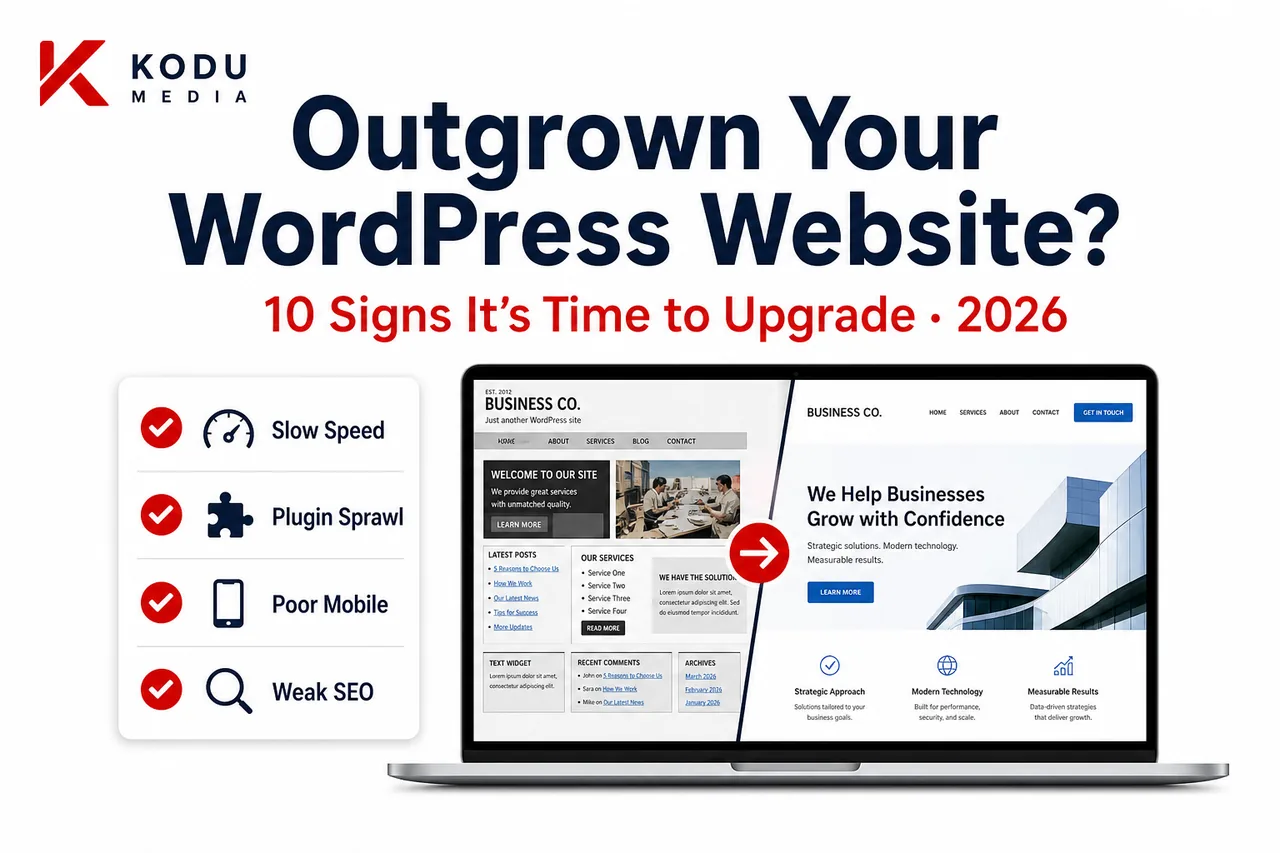
This guide covers 10 signs your business has outgrown its WordPress website, what each sign usually means, and whether you should optimize, redesign, or rebuild. If you already know you need help, start with a WordPress website audit conversation or explore our WordPress Development Company services.
Why Growing Businesses Outgrow Their Websites
Growth changes requirements.
What worked for a 10-page brochure site rarely works for:
- Multi-service lead generation
- Paid traffic at scale
- Content operations across teams
- CRM and marketing automation
- WooCommerce or memberships
- Multi-location expansion
- Brand refresh and higher trust expectations
The website that once felt “good enough” starts costing money through lost conversions, slower campaigns, and recurring technical emergencies.
The goal of this article is not to scare you into a rebuild. It is to help you diagnose the real problem and choose the right next step.
Important Distinction
Outgrowing your WordPress website usually means outgrowing:
- An old theme
- A page-builder stack
- A fragile plugin architecture
- A brochure-era information structure
It does not automatically mean WordPress is the wrong CMS. In many cases, custom WordPress development is the upgrade path that preserves content equity while removing bottlenecks.
Sign #1: Your Website Loads Too Slowly
Slow speed is one of the clearest signs it is time to upgrade your WordPress website.
Why It Matters
- Poor Core Web Vitals hurt SEO and user trust
- Bounce rates rise on mobile
- Paid traffic becomes more expensive per conversion
- Product and service pages feel unresponsive
What Usually Causes It
- Heavy themes or page builders
- Unoptimized images and scripts
- Plugin bloat
- Weak hosting/caching strategy
- Bloated templates on key pages
Business Translation
If you spend money on ads or SEO and the site feels slow, you are paying to send people into friction. Speed is not a vanity metric; it is a conversion and CAC issue.
What To Do Next
Measure LCP/INP/CLS on your top money pages, not only the homepage. If performance is chronically weak, you likely need more than a caching plugin. You need architecture and template discipline. See our WordPress performance optimization guide.
Sign #2: Marketing Cannot Update Content Easily
If every landing page requires a developer, your CMS is working against growth.
Warning Signals
- Marketing waits days for simple edits
- Only one person “knows how the site works”
- New pages break layouts
- Brand consistency depends on heroics
What It Usually Means
Your content model is weak. Either the theme/builder is too open-ended, or it is too rigid. High-performing teams need governed flexibility: reusable blocks, clear templates, and safe editing paths.
Business Translation
When campaign velocity depends on a single specialist, marketing becomes a queue. Growth companies cannot afford that bottleneck indefinitely.
Custom Gutenberg systems from custom WordPress theme development often solve this better than adding another page-builder layer. Related: custom WordPress vs page builders.
Sign #3: Too Many Plugins
Plugin sprawl is a classic symptom of an outgrown WordPress setup.
Why It Becomes a Problem
- Update conflicts and mysterious breakage
- Security exposure from abandoned extensions
- Slower pages from overlapping scripts
- No clear ownership of what each plugin does
The Real Issue
Many plugins were installed as quick fixes for missing architecture. Over time, the site becomes a patchwork instead of a system.
Business Translation
Every “quick plugin fix” can become permanent operational risk. At scale, unmanaged dependencies turn routine updates into executive emergencies.
What To Do Next
Audit plugins by business purpose. Keep what is essential. Replace fragile stacks with intentional custom features or cleaner alternatives. Pair this with ongoing WordPress Maintenance Services.
Sign #4: Poor Mobile Experience
If forms, navigation, CTAs, or product pages frustrate mobile users, your website is leaking demand.
Business Impact
- Lower conversion rates
- Higher paid acquisition costs
- Weaker engagement metrics
- Lost trust in competitive markets
What “Poor Mobile” Looks Like in Practice
- Tap targets too small
- Forms that feel endless
- Sticky elements covering CTAs
- Product info hard to scan
- Popups that trap users
California buyers especially expect fast, clean mobile experiences. A desktop-first legacy site is often a redesign trigger. See the WordPress website redesign guide for scope options.
Sign #5: Your Branding Has Changed
If your brand, offer, or market positioning evolved, but the website still reflects an older identity, you are training prospects to undervalue you.
Common Gaps
- Outdated visual language
- Unclear value proposition
- Messaging that no longer matches sales reality
- Inconsistent design across campaign pages
Business Translation
Sales and marketing may already speak a new story. If the website still tells the old one, trust drops before the first conversation.
A brand change does not always require a full technical rebuild. Sometimes a UX and design-system redesign is enough. Sometimes the old theme cannot support the new brand cleanly. Diagnosis matters.
Sign #6: Your Website Doesn’t Integrate With Business Systems
Modern companies need the website connected to operations, not isolated from them.
Common Integration Needs
- CRM (HubSpot, Salesforce, Zoho)
- Marketing automation
- Payment gateways
- ERP / inventory systems
- Support tools
- Analytics and attribution
Why This Sign Matters
When teams copy-paste leads into spreadsheets, or orders and inventory live in separate worlds, growth creates operational drag. WordPress can integrate deeply through APIs when architected for it. Related reading: CRM integration and API integration services.
Business Translation
Manual handoffs do not scale. If revenue operations depend on the website but the website cannot talk to your systems cleanly, you have outgrown the implementation.
Sign #7: SEO Performance Is Declining
SEO decline is not always “algorithm luck.” Sometimes the website foundation is the constraint.
Warning Signals
- Rankings slip on important service pages
- Technical issues accumulate (speed, crawl waste, weak structure)
- Content publishing is inconsistent or hard
- Internal linking is messy
- Competitors capture more high-intent visibility
What To Do Next
Separate content strategy problems from technical limitations. If your templates, speed, or information architecture block SEO operations, website modernization becomes part of the SEO plan. Foundations: how to improve website SEO.
Business Translation
If organic was once a reliable channel and now requires constant recovery work, evaluate whether the site itself is capping SEO capacity.
Sign #8: Security Issues Keep Appearing
Repeated malware cleanups, abandoned plugins, unclear admin access, or “we’re afraid to update” culture are serious growth blockers.
Why Security Debt Matters
- Customer trust risk
- Downtime during campaigns
- Compliance concerns
- Emergency costs that dwarf preventive maintenance
A secure WordPress site is maintainable WordPress. If updates feel dangerous, the architecture and process need attention, not only a security plugin install.
Business Translation
Fear of updating is a product risk. It means your growth channel can break at any time, and nobody wants to touch it.
Sign #9: Your Website Can’t Scale With New Business Models
Your company may now need capabilities the original site never anticipated:
- Memberships or gated content
- WooCommerce or advanced product workflows
- Customer portals
- Multi-location systems
- AI chatbots and automation
- Complex lead routing
What This Sign Means
The website was built for an earlier business model. Extending it with random plugins may work short term and fail under real usage.
For commerce growth, evaluate WooCommerce Development Company capabilities. For AI-assisted operations, explore AI Automation Services.
Business Translation
If every new initiative requires a fragile workaround, the website is no longer infrastructure. It is friction.
Sign #10: Your Competitors Have Better Websites
This is the sign leadership feels before they can quantify it.
Prospects compare you against competitors in seconds. If rival sites are faster, clearer, more trustworthy, and easier to convert on, you are fighting uphill, even with a strong offline brand.
How to Use Competitor Pressure Productively
Do not copy visuals blindly. Compare:
- Clarity of offer
- Speed on mobile
- Trust and proof placement
- Ease of contact/purchase
- Content usefulness
Competitive pressure alone is not a reason to rebuild recklessly. Combined with several signs above, it is often the final trigger for a business website redesign.
Quick Self-Assessment Scorecard
Rate each sign from 0 (not true) to 2 (strongly true):
| Sign | Score (0-2) |
|---|---|
| Slow performance | |
| Hard content updates | |
| Plugin sprawl | |
| Poor mobile UX | |
| Brand mismatch | |
| Missing integrations | |
| SEO decline / technical drag | |
| Security/update fear | |
| Cannot scale new models | |
| Competitors look stronger |
0-6: Optimize and maintain; redesign may be premature. 7-12: Plan a focused redesign or targeted modernization. 13-20: Strong case for rebuild/custom development roadmap.
How to Use the Scorecard in a Leadership Meeting
Bring the scorecard with examples:
- Screenshots of slow mobile pages
- Campaign launch timelines before vs now
- Plugin update incidents
- CRM handoff gaps
- Competitor comparison notes
Decision-makers respond to evidence. A score without examples is easy to dismiss; a score with operational proof becomes a project brief.
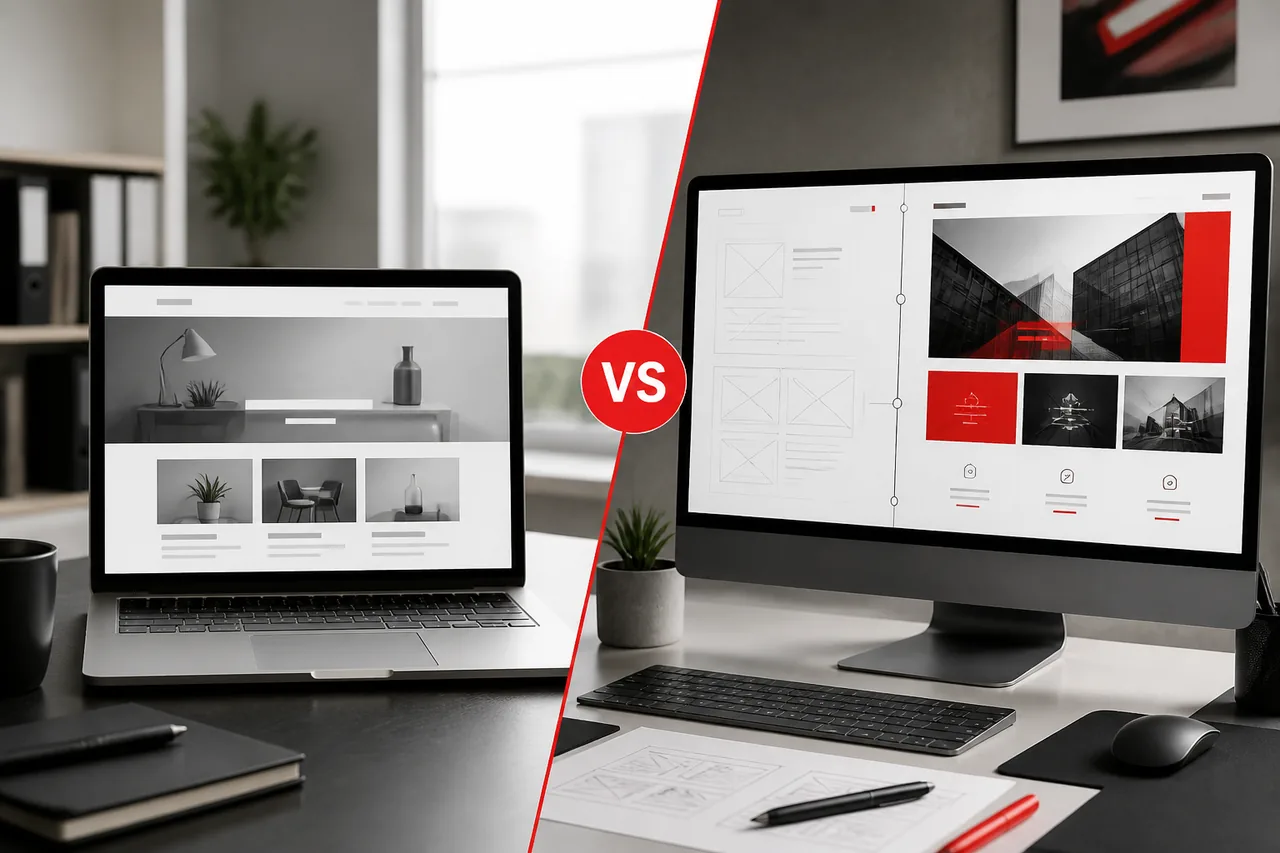
Should You Redesign or Rebuild?
| Factor | Redesign / Modernize | Full Rebuild |
|---|---|---|
| Best when | UX/brand is dated but stack is workable | Architecture is the bottleneck |
| Performance issues | Mild to moderate | Chronic / structural |
| Plugin debt | Manageable cleanup | Deep sprawl and fragility |
| Editor experience | Needs better templates/blocks | Needs new content model |
| Integrations | Addable to current foundation | Current foundation cannot support them cleanly |
| Timeline | Often shorter | Often longer |
| Investment | Lower to mid | Mid to high |
Choose Optimization If:
- One or two issues dominate (for example, speed or a few templates)
- Core architecture is sound
- Editors can work with minor improvements
Choose Redesign If:
- Brand/UX and conversion paths need a system update
- Most templates are outdated but technical debt is moderate
Choose Rebuild If:
- Builder/theme debt dominates
- Updates are risky
- Performance and scalability are chronically blocked
- You are adding commerce, portals, or major integrations
Deeper guidance: WordPress website redesign guide.
A Simple Decision Rule
Ask one question:
Is the current foundation capable of supporting the next 24 months of growth with reasonable effort?
- If yes, optimize and redesign selectively.
- If no, plan a rebuild in phases so revenue pages improve first.
What To Do Next: A Practical Upgrade Path
Step 1: Run a WordPress Website Audit
Review:
- Core Web Vitals on money pages
- Template and plugin inventory
- Editor workflow pain points
- SEO technical health
- Integration gaps
- Conversion friction
An audit should produce priorities, not a vague “your site needs work” summary.
Step 2: Separate Symptoms From Causes
Slow speed may be caused by builder debt. Low leads may be messaging, not design. SEO decline may be content gaps, not WordPress itself.
This step prevents expensive wrong projects, like a visual redesign when the real issue is checkout performance or CRM handoff.
Step 3: Choose the Smallest Effective Intervention
- Maintenance + performance pass
- Template/UX redesign
- Custom theme rebuild
- WooCommerce/architecture expansion
- Integration phase
Start with the intervention that unlocks the most revenue or operational relief per dollar.
Step 4: Budget With Outcomes in Mind
Use WordPress Development Cost in California for planning ranges, then map spend to expected gains in conversion, speed, and operational efficiency.
Step 5: Hire for Diagnosis, Not Just Design
A strong partner should tell you when not to rebuild. Evaluation criteria: Best WordPress Development Company in California and How to Choose the Right WordPress Development Company.
Step 6: Sequence the Work
A practical phased approach often looks like:
- Stabilize (security, backups, critical bugs)
- Fix money-page performance and conversion friction
- Improve editor workflows
- Rebuild shared design system/templates
- Add integrations and advanced features
- Maintain and iterate
Big-bang rebuilds can work, but phased modernization reduces risk for active businesses.
How Kodu Media Helps
Kodu Media helps growth-stage businesses modernize WordPress without guesswork.
Typical support includes:
- WordPress website audits
- UX and conversion reviews
- Performance and Core Web Vitals work
- SEO-safe redesign/migration planning
- Custom WordPress theme development
- WooCommerce and integration upgrades
- Ongoing maintenance after launch
We start by identifying whether you need optimization, redesign, or rebuild, then propose a scoped path that matches your business goals.
What a Kodu Media Audit Typically Delivers
- Priority issue list ranked by business impact
- Clear recommendation: optimize, redesign, or rebuild
- Performance snapshot on key templates
- Plugin/dependency risk notes
- SEO migration considerations if URLs/templates will change
- Suggested phase plan and budget ranges
The point is decision clarity, not a pressure pitch for the largest possible project.
If platform alternatives are part of the conversation, WordPress vs Webflow can help frame tradeoffs. For many companies, the answer is better WordPress, not a different CMS. For California market context, see WordPress for California businesses.
Real-World Patterns We See
Pattern A: “The Campaign Bottleneck”
Marketing cannot launch pages without breaking design. Likely fix: Custom block system + design governance.
Pattern B: “The Paid Traffic Leak”
Ad spend scales, conversion rate falls, mobile CWV fails. Likely fix: Performance-focused template rebuild on key funnels.
Pattern C: “The Integration Wall”
CRM and operations need clean data; website cannot deliver it reliably. Likely fix: API/integration architecture plus form and event redesign.
Pattern D: “The Fear of Updates”
Nobody updates because something always breaks. Likely fix: Dependency cleanup, staging process, maintenance retainer.
Pattern E: “The Silent Brand Gap”
Sales says the company has leveled up, but the website still looks like an earlier stage. Likely fix: Brand and UX redesign with clearer proof, offer hierarchy, and conversion paths, on a maintainable theme foundation.
Before vs After Modernization (What Should Change)
A successful upgrade should improve more than aesthetics.
Before
- Campaign pages take too long to ship
- Mobile users bounce from key templates
- Plugin updates feel unsafe
- Leads require manual cleanup
- SEO work fights technical limitations
After
- Editors publish within a governed design system
- Money pages meet performance targets
- Updates follow a staging and QA process
- CRM/analytics capture is clean
- SEO and content operations can scale
If a proposed redesign only changes colors and fonts, it is not solving the outgrown-website problem.
Questions to Bring to a Website Audit
- Which pages drive the most revenue or leads?
- Where do users drop off on mobile?
- Which updates are currently risky?
- What integrations are missing or manual today?
- What must launch in the next 90 days?
- What can wait for phase two?
- How will we measure success after the upgrade?
Clear answers turn an emotional “our website feels outdated” discussion into a scoped commercial project.
Cost of Waiting Too Long
Delaying modernization has hidden costs:
- Higher CAC from slow or confusing pages
- Lost organic opportunity while competitors improve
- Marketing productivity waste
- Emergency fix spend
- Brand perception lag in sales cycles
Not every site needs an immediate rebuild. But if your scorecard is high and growth plans are active, waiting often costs more than a planned upgrade.
Upgrade Options Compared
| Option | Best For | Risk if Misapplied |
|---|---|---|
| Maintenance + cleanup | Stable sites with minor debt | Underfixes structural problems |
| Performance sprint | Speed issues on otherwise sound architecture | Temporary gains if templates remain bloated |
| UX/visual redesign | Brand and conversion clarity gaps | Cosmetics over broken foundations |
| Custom theme rebuild | Builder debt, scalability, editor chaos | Higher upfront cost if over-scoped |
| Platform migration | Rare cases where WordPress truly no longer fits | SEO/content disruption if poorly planned |
Most companies in this article’s audience land in redesign or custom rebuild, not platform abandonment.
How to Talk About This Internally
If you need buy-in from leadership, frame the conversation around business impact:
- “Campaign launch time increased from 2 days to 2 weeks.”
- “Mobile conversion is X% below desktop.”
- “We cannot safely update plugins before peak season.”
- “Sales says prospects mention competitor sites looking more credible.”
- “Manual lead handling is creating CRM data gaps.”
Executives approve upgrades faster when the website is presented as a growth constraint, not a design preference.
Frequently Asked Questions
What are signs your business has outgrown its WordPress website?
Common signs include slow performance, difficult content updates, plugin sprawl, poor mobile UX, missing integrations, declining SEO, security debt, and inability to support new business models.
Does this mean I should leave WordPress?
Usually no. Most companies have outgrown a weak implementation, not WordPress itself.
When should I redesign my WordPress website?
When brand, UX, conversion paths, or template systems no longer match business needs, and optimization alone cannot close the gap.
When is a rebuild better than a redesign?
When architecture, builder debt, performance, or scalability are the core constraints.
How do I know if I need a WordPress website audit?
If multiple signs above are true and teams disagree on the cause, an audit creates clarity before you invest in the wrong project.
Can you upgrade a site built with Elementor or Divi?
Yes. Many modernization projects migrate from page-builder stacks into custom themes while protecting SEO equity.
Will a redesign hurt SEO?
Not if redirects, metadata, content, and technical SEO are planned carefully.
How much does a WordPress upgrade or redesign cost?
It depends on scope. See WordPress Development Cost in California for planning ranges.
Can Kodu Media help with WooCommerce scaling issues?
Yes. Commerce growth often requires custom templates, performance work, and integration planning.
How do we get started?
Book a website audit consultation. We’ll review your current site and recommend the smallest effective next step.
Can we improve the site without a full redesign?
Often yes. Many businesses start with a performance and dependency cleanup, then redesign only the templates that drive revenue. Full rebuilds are reserved for structural bottlenecks.
How long does modernization usually take?
Targeted optimization can take days to a few weeks. Redesigns often take 6-12 weeks. Rebuilds with migration and integrations can take longer depending on scope and content readiness.
Related Services
- WordPress Development Company
- Custom WordPress Theme Development
- WooCommerce Development Company
- WordPress Maintenance Services
- AI Automation Services
- WordPress Website Redesign Guide
- WordPress Development Cost in California
- Best WordPress Development Company in California
- How to Choose the Right WordPress Development Company
- WordPress Website Development Process
- WordPress vs Webflow
- Custom WordPress Development vs Page Builders
- WordPress for California Businesses
Ready for a WordPress Website Audit?
If your website is slowing campaigns, hurting conversions, or blocking growth, you do not need another random plugin. You need a clear diagnosis and a practical upgrade plan.
Kodu Media can audit your WordPress site, identify whether to optimize, redesign, or rebuild, and help you modernize with performance, SEO, and long-term maintainability in mind.